React Query 4 Basic Forum
Video: https://youtu.be/nXeD3b5vr7I
GitHub Repo: https://github.com/Ashot72/React-Query-4-Basic-Forum
React Query https://tanstack.com/query/v4 is a ReactJS preconfigured data management library which gives you power and control over server-side state management,
fetching and caching of data, and error handling in a simple and declarative way without affecting the global state of your application.
There is a difference between client state and server state.
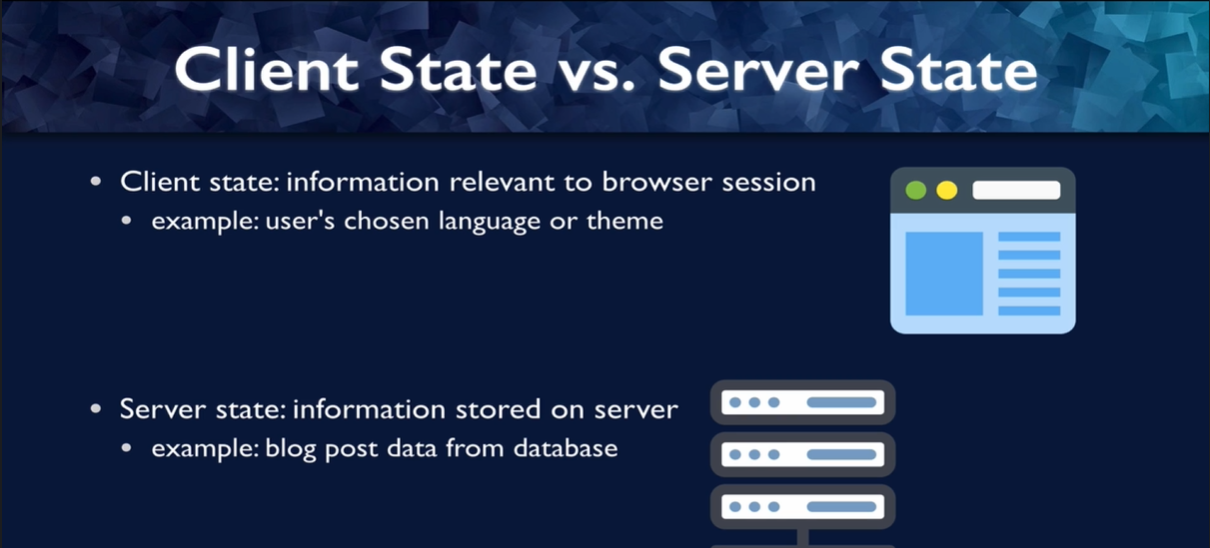
Figure 1
By client state we mean any information that is relevant to your Web browser session, for example, a user might choose a language so that they can read the text in the
language they know best or theme. This does not have anything to do with what might be going on the server. It simply tracking what the state is for this particular user.
Server side, on the other hand, is data that is stored on the server but is needed to display on the client. An example of that might be blog post data that you are storing in a database.
You need this data on the client to display to your user. But the data stored on the server can be persisted to multiple clients.
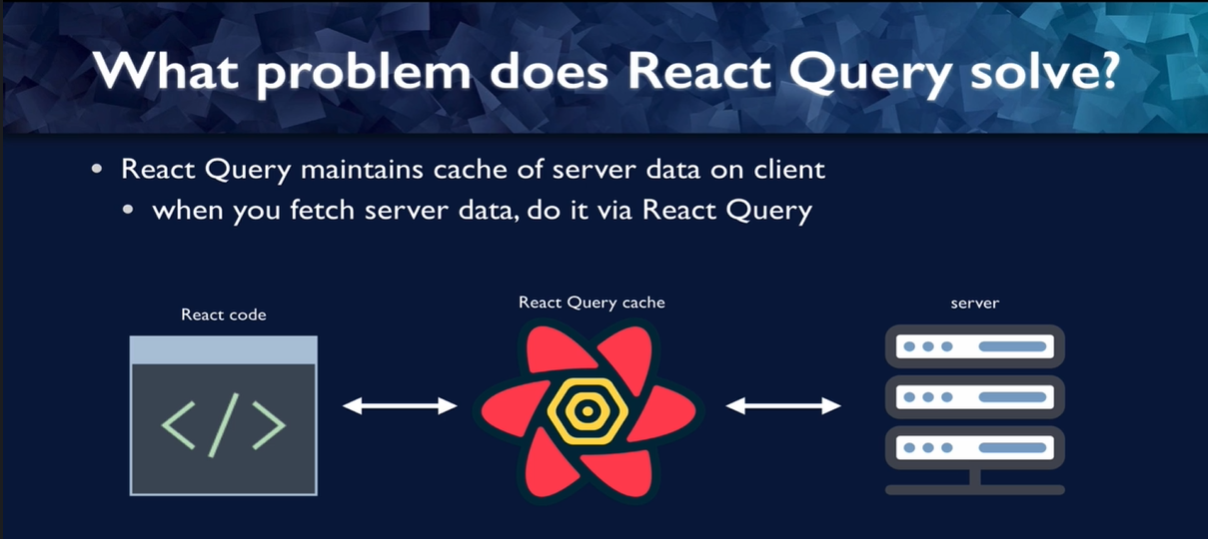
Figure 2
React Query maintains a cache of server data on the client. The way this looks is when the react code needs data from the server, it does not go straight to the server using,
say, fetch or Axios. Instead, it asks the React Query cache that is the source of truth for the server data and React Queries.
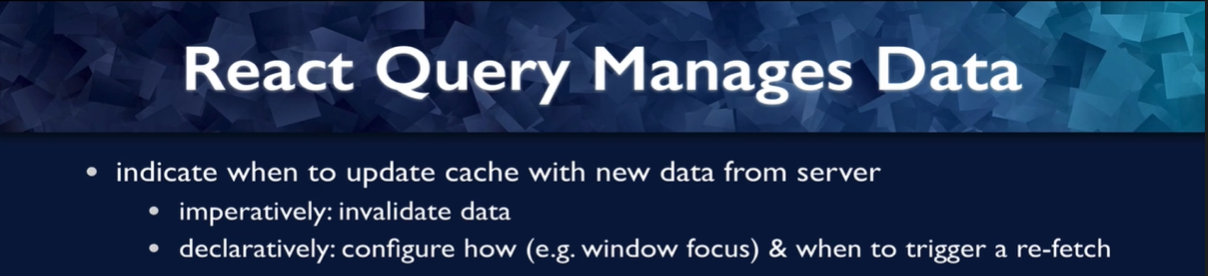
Figure 3
React Query manages the data and it is your job to indicate when you want to update the cache with new data from the server. You can do it imperatively by just telling the query
client that you want to invalidate this data and get new data form the server to replace it in the cache or you can do it declaratively. You can say how you want to trigger re-fetch, for example,
when the browser window is refocused. We will be going over this in a lot more detail.
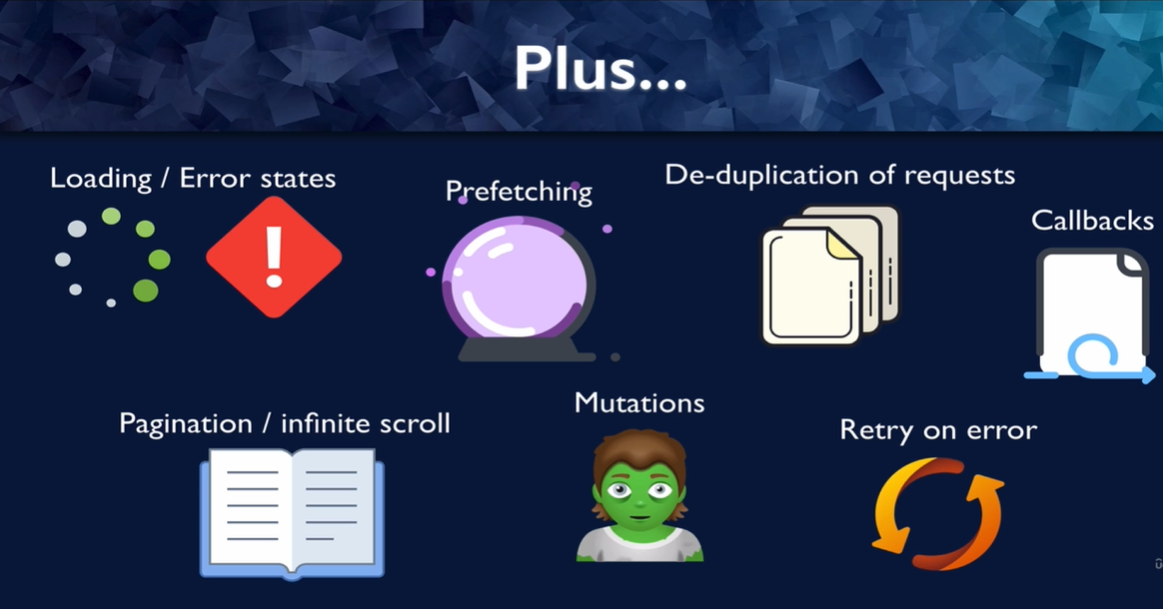
Figure 4
React Query comes with a lot of other tools to help you with your server state management. It maintains loading and error states for every query to the server so that you do not have to do
that manually. It gives you tools to fetch data in pieces just when it is needed by the user for pagination of the data or an infinite scroll. You can prefetch data if you anticipate that the user
is going to need it so you can pre-fetch the data, put it in the cache, and then when the user does need the data, your app can draw the data from the cache and the user does not have to
wait for you to contact the server.
React Queries can also manage mutations or updates of data on the server. Since queries are identified by a key, React Query can manage your requests so that if you load a page and
several components in that page, request the same data, React Query can send the query only once and if another component requests the data while that original query is going out, then
React Query can duplicate the requests. React Query can also manage retries if you get an error from the server and it provides callbacks so that you can take actions if your query
is successful, if it returns an error, or you can provide a callback to take an action in either case.
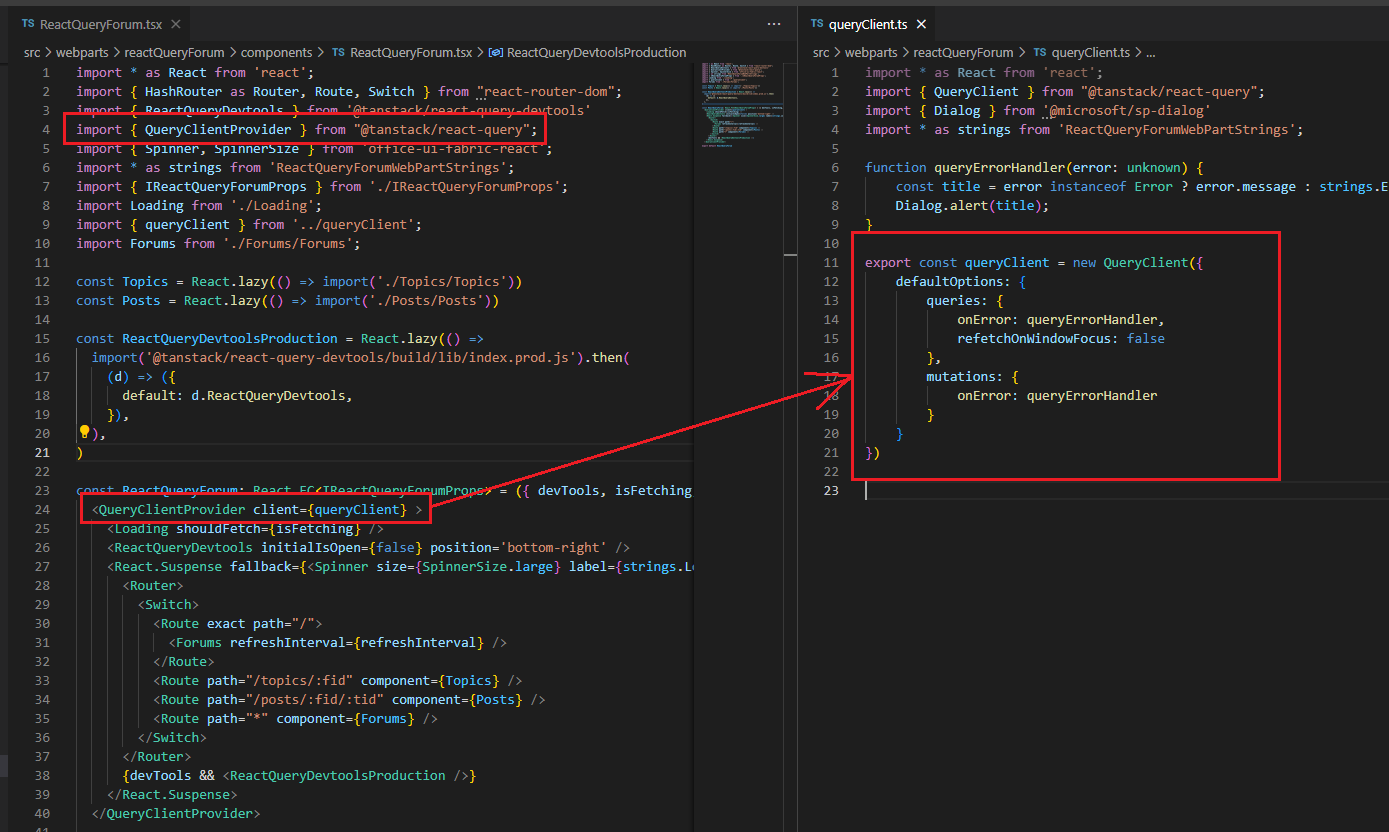
Figure 5
In our project after we installed React Query 4 package, at the top of our component tree we need to add the React Query provider and provide the
client to our application. Now, we have access to every and method that React Query provides. Let's run a query and fetch forum' data from our list service.
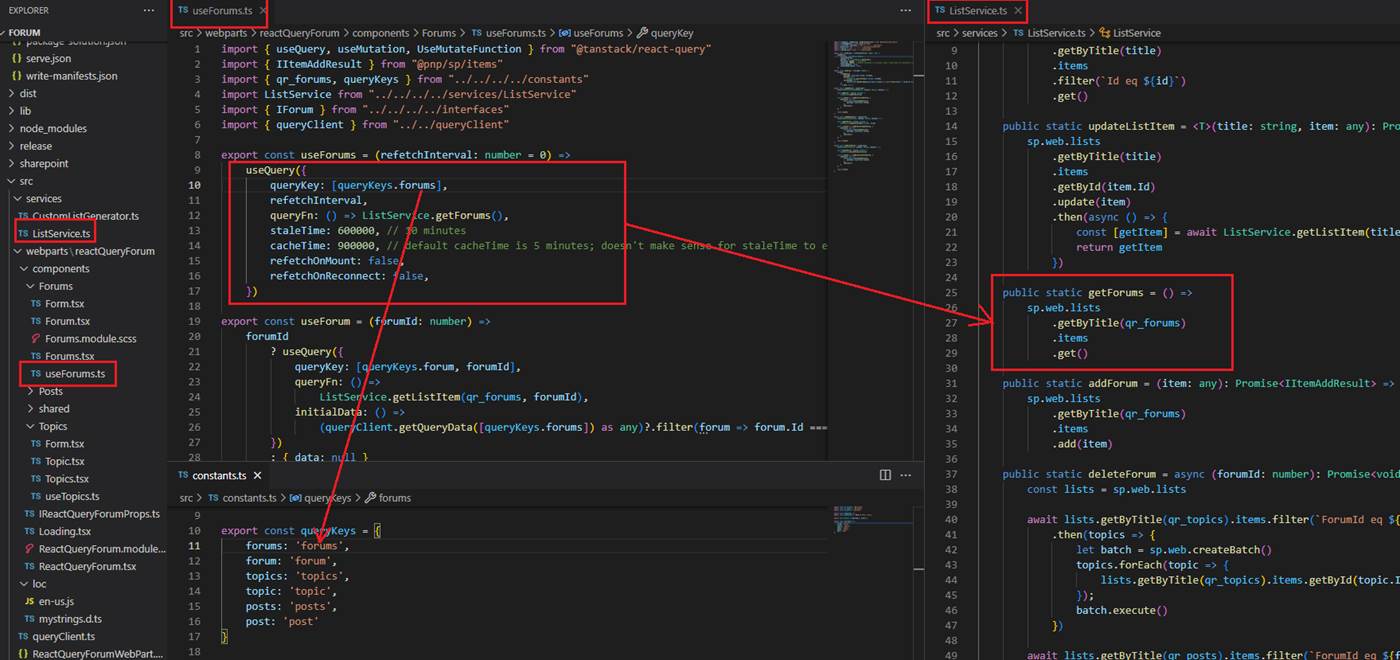
Figure 6
We define useForums hook and call it from the forums component to retrieve forums' from QR_Forums SharePoint list.
As its core, React Query manages query caching for you based on query keys. Query keys have to be an Array at the top level, can be as simple
as an Array with a single string, or as complex as an array of many strings and nested objects. As long as the query is serializable, and unique
to the query's data, we can use it. For forums we defined queryKey: [queryKeys.forums] where queryKeys.forums is forums string.
Next, we defined Query function which can be any function that returns a promise. The promise that is returned should either resolve the data
or throw an error. Our query function is queryFn: () => ListService.getForums() to retrieve forums.
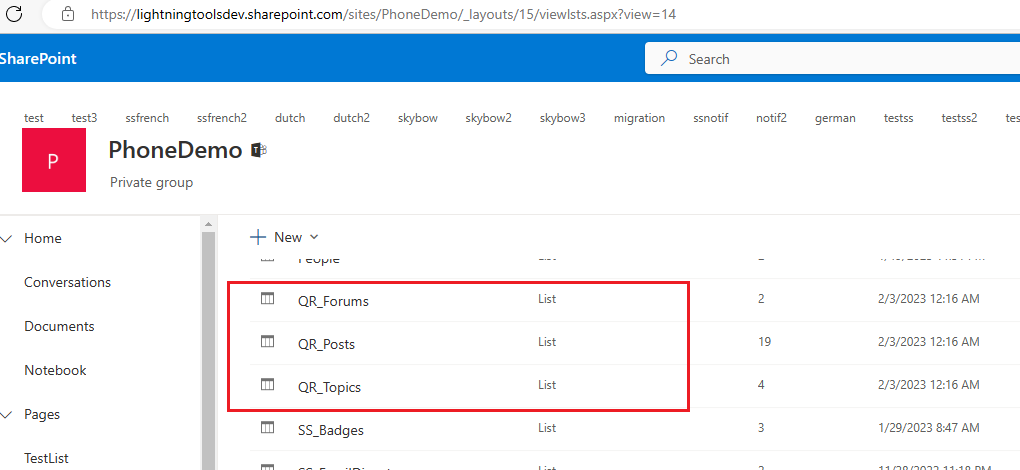
Figure 7
When you add the web part for the first time it will generate 3 lists that the app makes use of it.
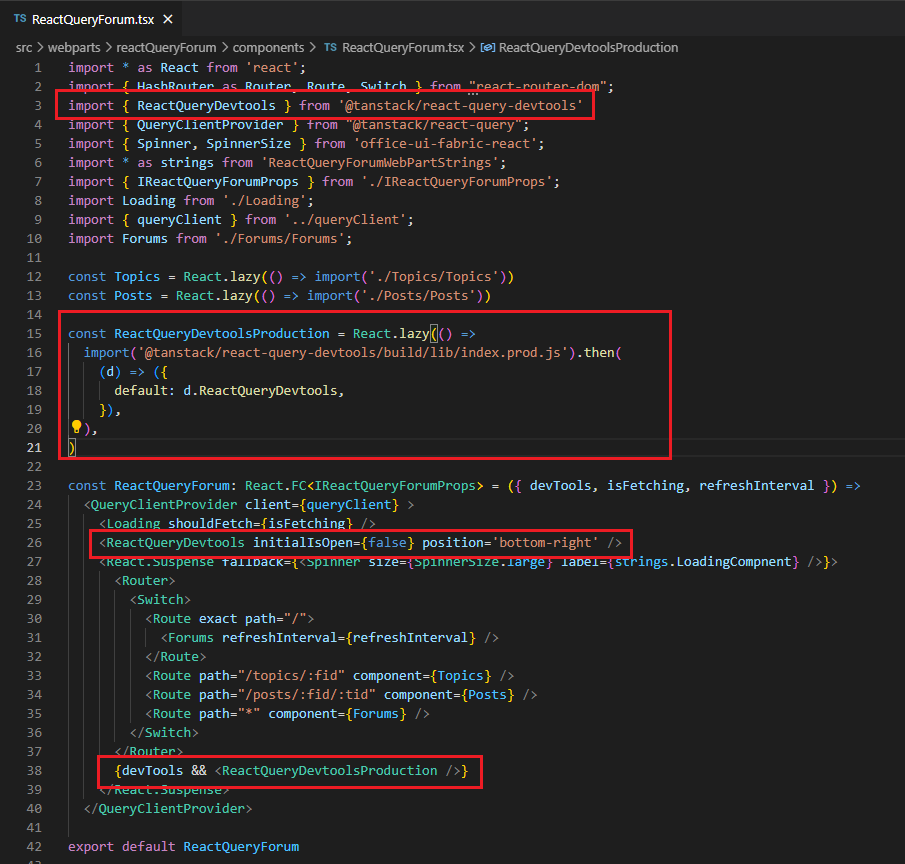
Figure 8
When you begin your React Query journey, you will want these devtools by your side. They help visualize all of the
inner workings of React Query and will likely save you hours of debugging.
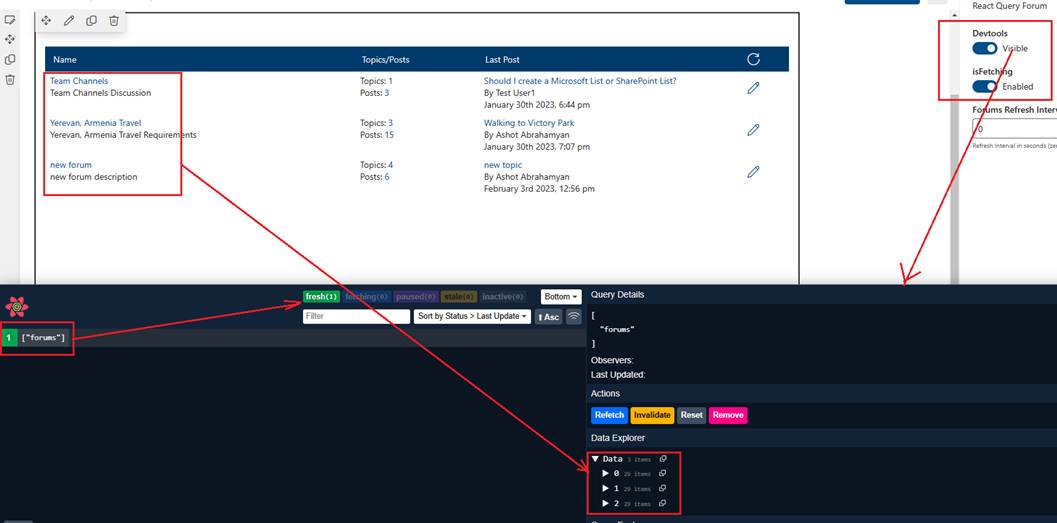
Figure 9
I enabled Devtools from the property pane and refreshed the Forums' page. In the dev tool you see the forums' label which was forums key (Figure 6) and it is green.
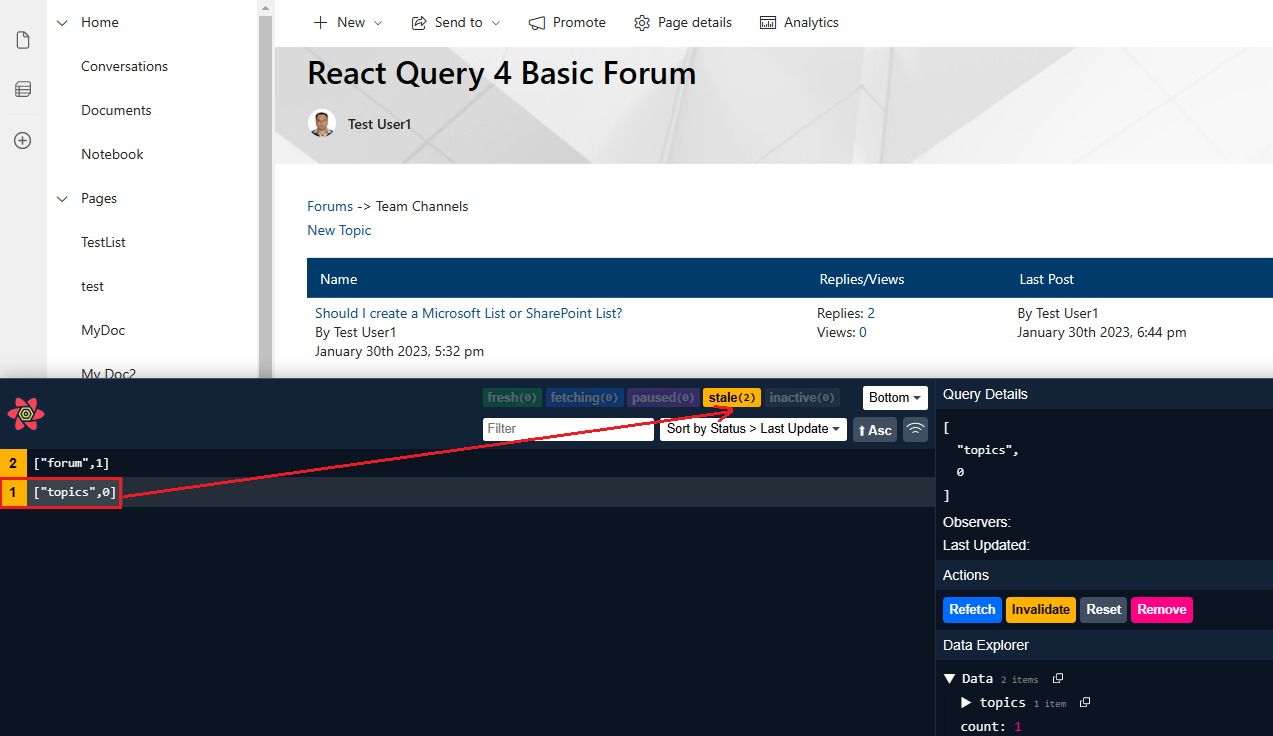
Figure 10
If you go to topics page and refresh the browser you will see that in this case data are stale as opposed to forums where they are fresh.
What does it mean for data to be stale?
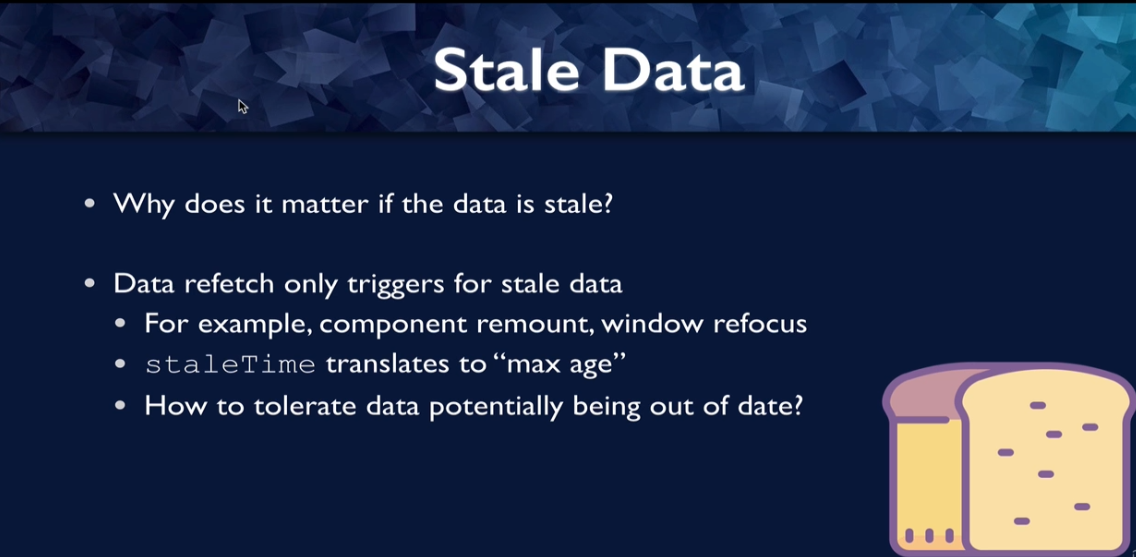
Figure 11
Data re-fetch only triggers for stale data and there are several things that will trigger this. For example, component remount, windows focus etc.
staelTime translates to 'max-age' that you are allowing you data to be, or how long would you tolerate this data potentially being out of date.
That is the stale time. If you think it is OK for data to be 10 seconds old, when is displaying on your website, then you would set a steal time to 10 seconds.
This is going to depend on the nature of the data.
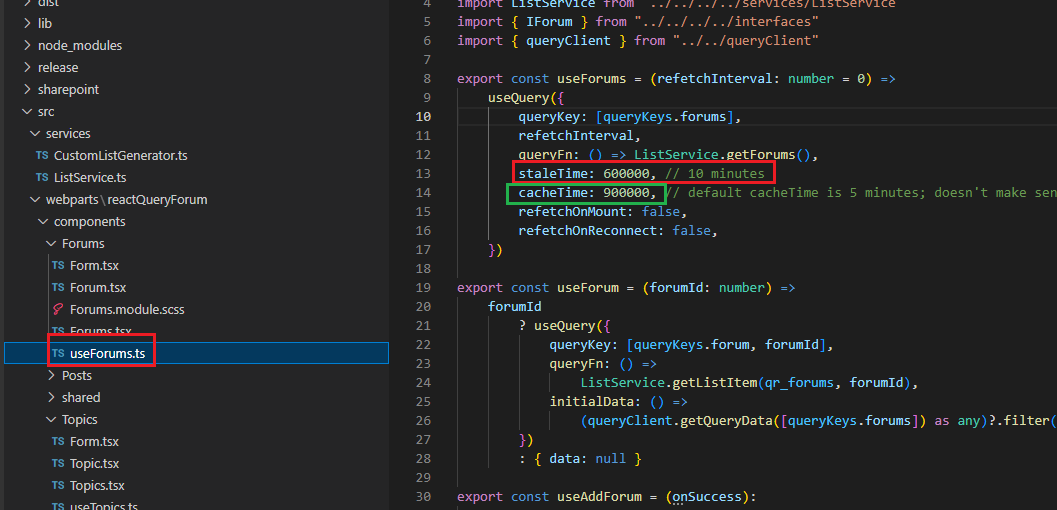
Figure 12
In useForums hook the option we are going to update is staleTime and it is in milliseconds. I am going to allow forums page to be out of date
up to 10 minutes as new forums are not coming frequently. That is the reason it is fresh (Figure 9) and forums will only be fetched if data is stale.
The next question is, why would the stale time default to zero? By defaulting to a stale time of zero, we are always assuming that the data is out of date
and that it needs to be re-fetched from the server. That makes it much less likely that you are going to accidentally have out of date data on the client.
What is the difference between staleTime and cashTime?
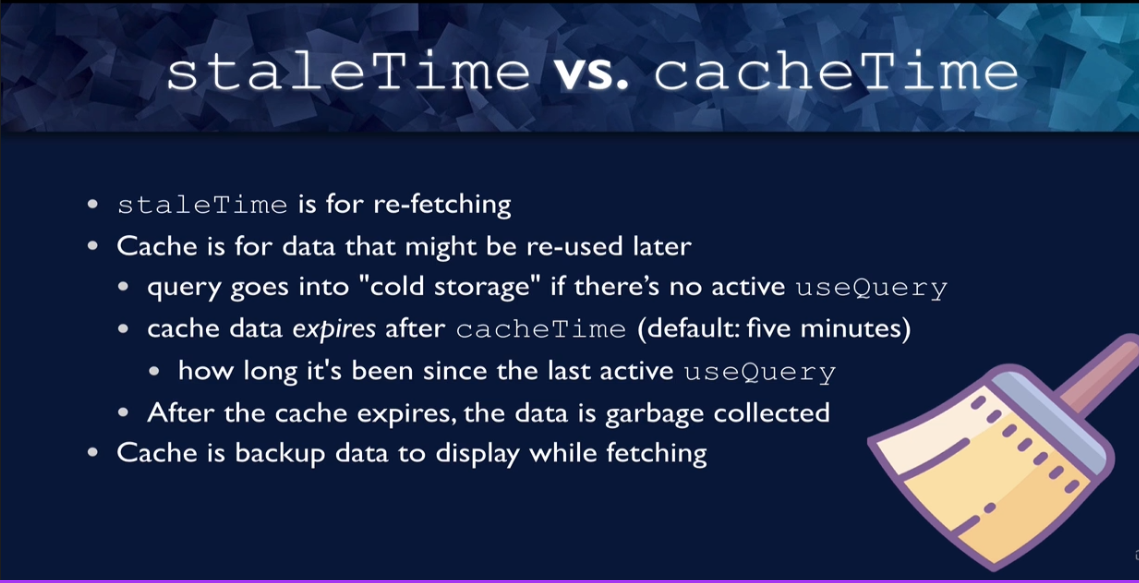
Figure 13
As we already know staleTime is consideration when refreshing. The cash is data that might be needed later. So, if there is no active query for a particular
query, then that data ques into cold storage, the data in the cache expires after the configured cache time. So, by default, that configure time is five minutes.
The amount of time that the cache time is observing is how long since used query has been active for this particular query, how long since a component
that is displaying on the page is using a used query for this particular query. After the cash expires, the data is garbage collected and no longer available to
the client. But while the data is in cache, it can be used to display while you are fetching, it is not going to stop the data from being fetched so that it
can be refreshed with the most recent data n the server. It will keep you from having to display a blank page and it is better to show data might be slightly
out of date while you are collecting new data than not to show anything at all. If you do not agree with that, if out-of-date data is going to be very
dangerous for your particular application, then you can just set cash time to zero.
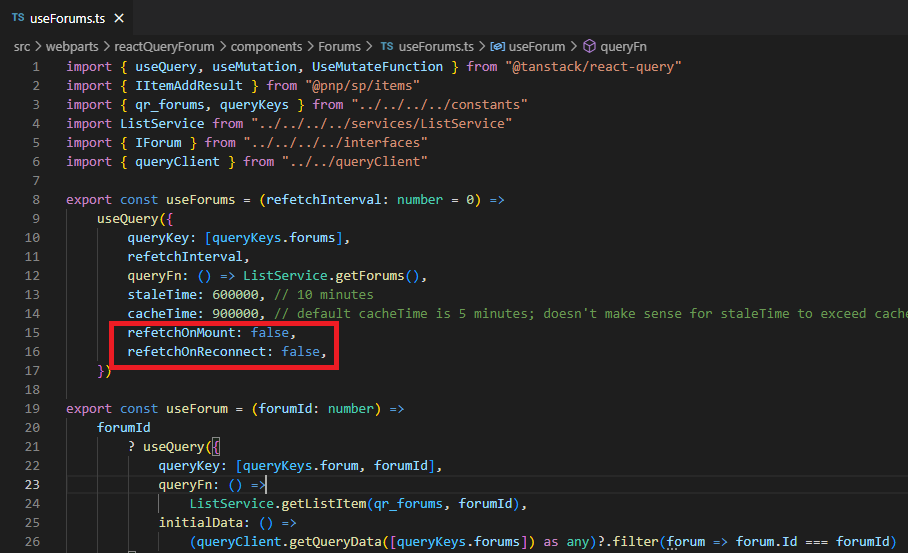
Figure 14
We also specified two properties refetchOnMount and refetchOnReconnect and set them false. The query will not re-fetch on mount
if data are stale. The same is true with refetchOnReconnect.
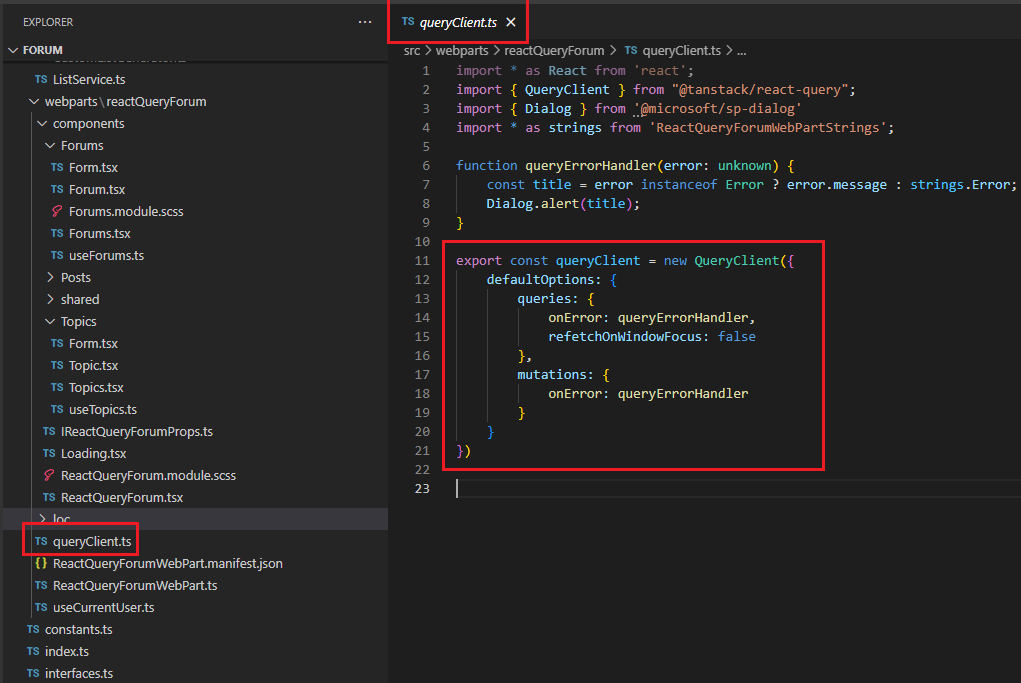
Figure 15
We can also apply the settings globally for all our queries and overwrite them with individual query options. refetchOnWindowFocus
is applied to all queries. We also gave a default option for an error handling for our queries by not giving for each one individually.
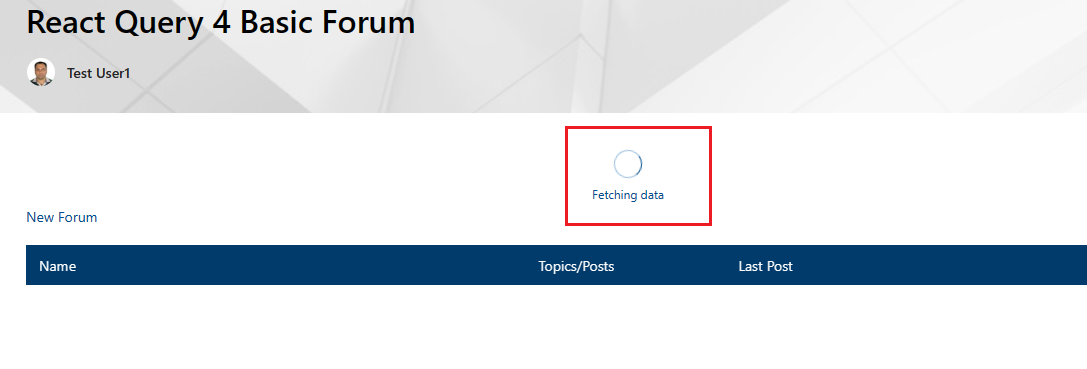
Figure 16
When you refresh forums page you will see Fetching data loading indicator. React query result has two properties isLoading and isFetching.
Let's see the difference.
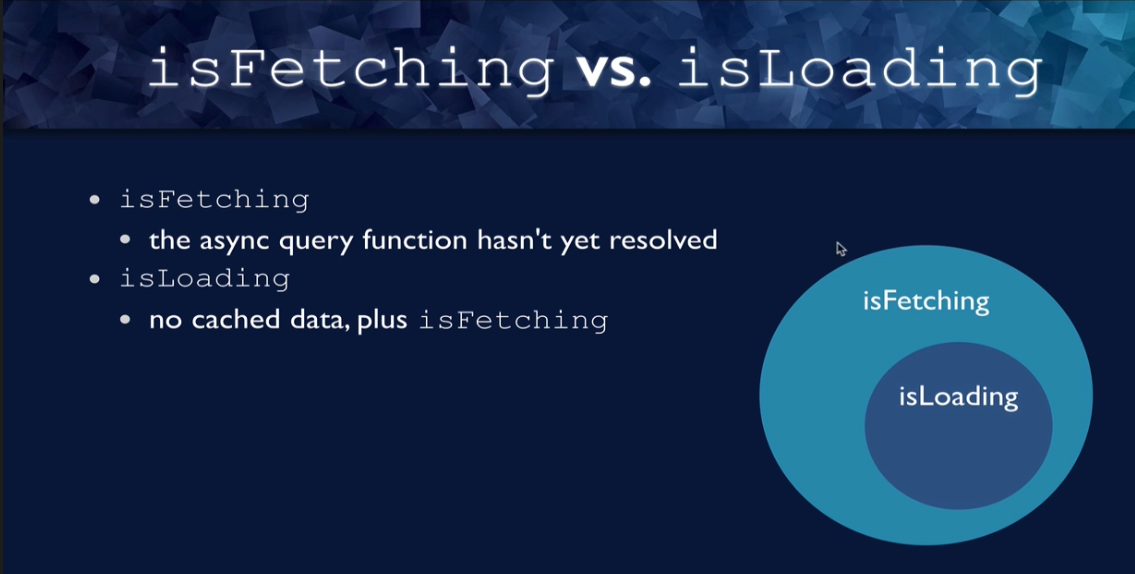
Figure 17
isFetching is true when the async query function had not yet resolved. We are still fetching. isLoading is the condition
where isFetching is true plus where you have no cached data for the query. So any time you are isLoading, any time isLoading is true, is fetching
is also true. isLoading is a subset of isFetching where you actually do not have any cash data and you are fetching the data.
In our application I did not use isLoading and I think that most of the time you will be using it than isFetching.
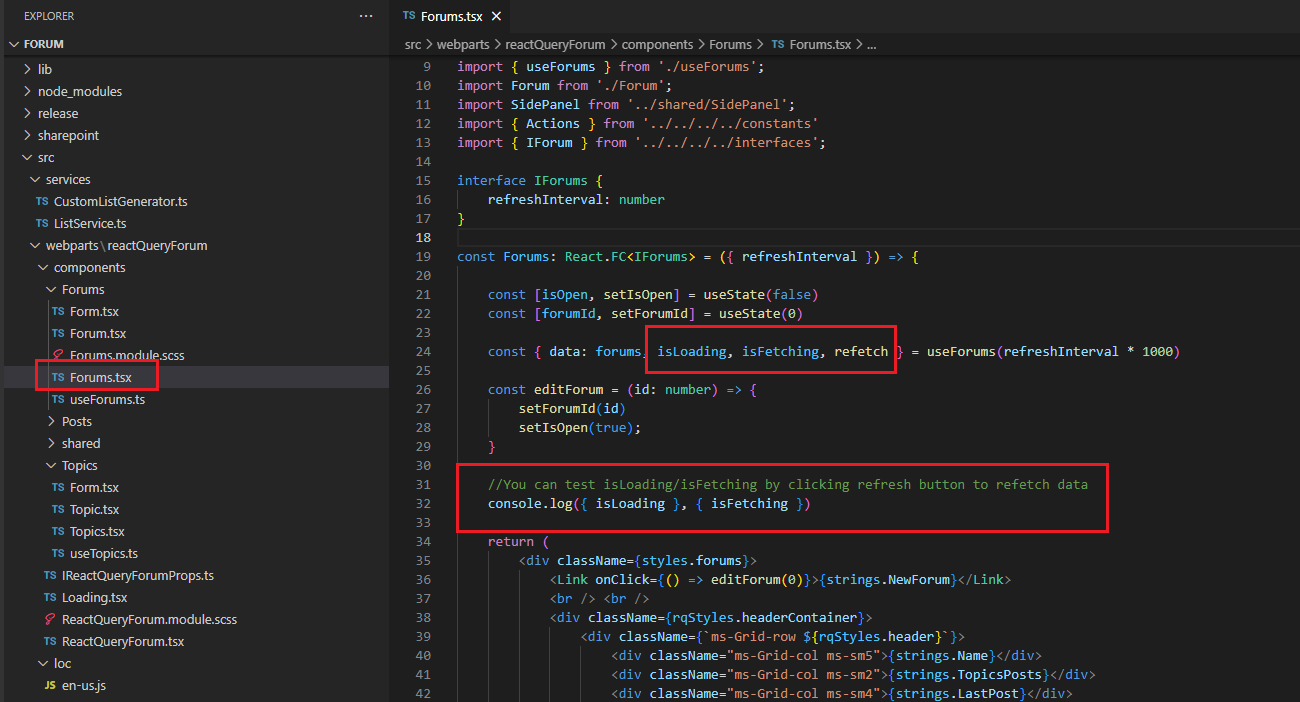
Figure 18
You can see that forums query result returns the actual data, isLoading and isFetching properties and refetch function in useQuery return object to imperatively re-fetch data.
We also log isLoading and isFetching on the console.
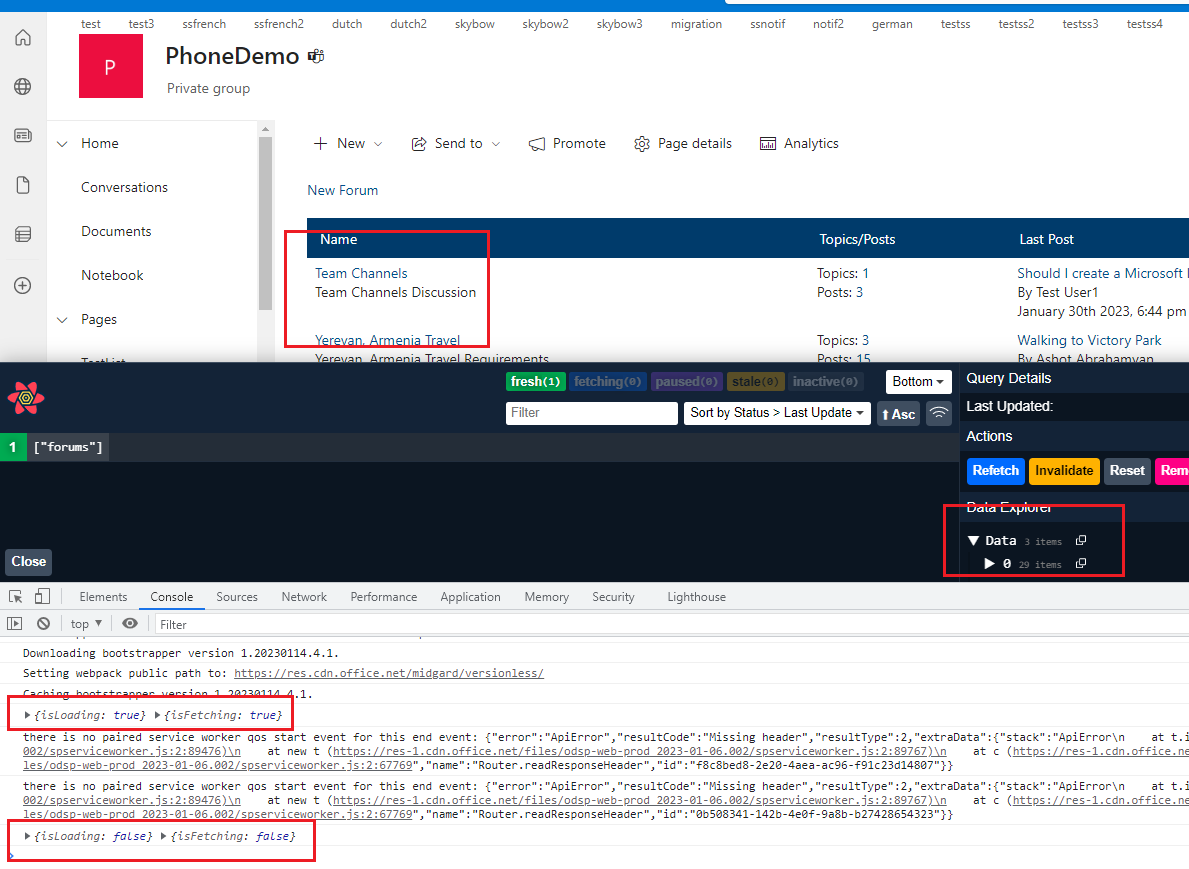
Figure 19
Let's load Forums page. You see that both isFetching and isLoading is true as we are fetching data and no cached data. Once we received forums' data both isLoading and
isFetching are false. We got data and are in cache.
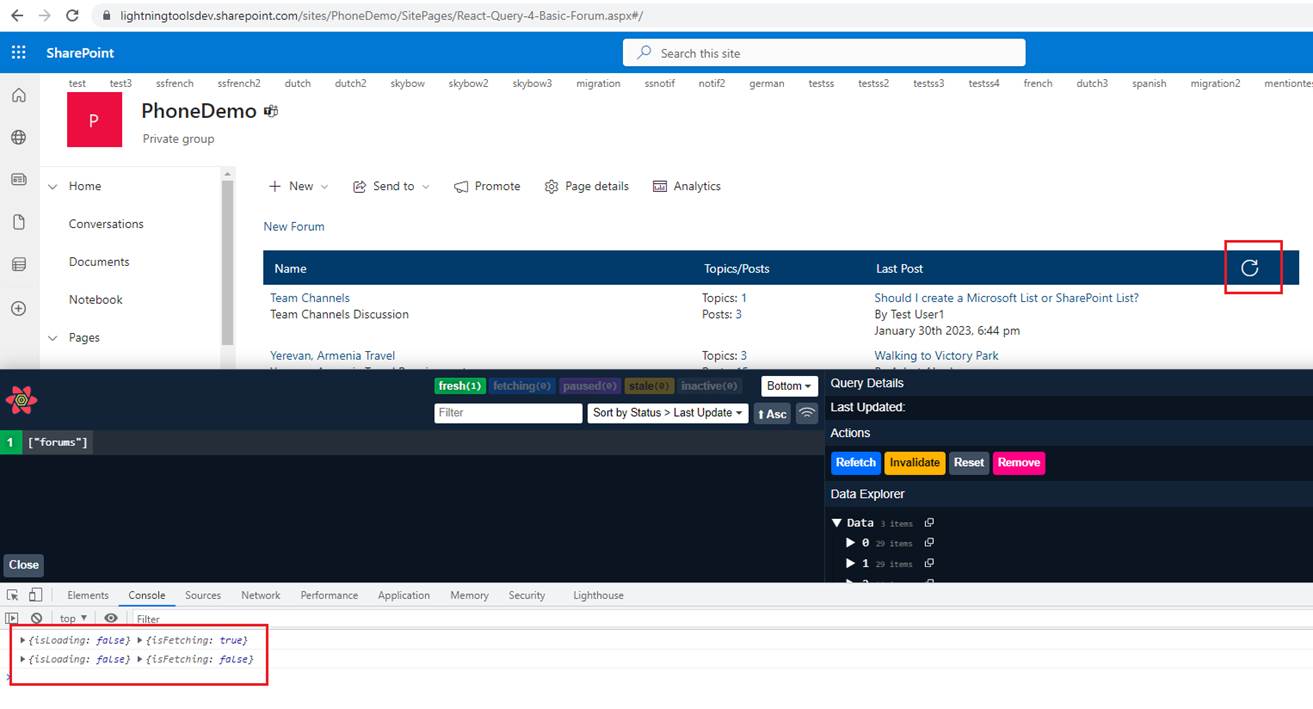
Figure 20
Now let's click on the refresh icon to re-fetch data by calling refetch function. You see that isLoading is false as we have cached data but isFetching is true as we are getting data
from the server and once data are retrieved both isFetching and isLoading are false.
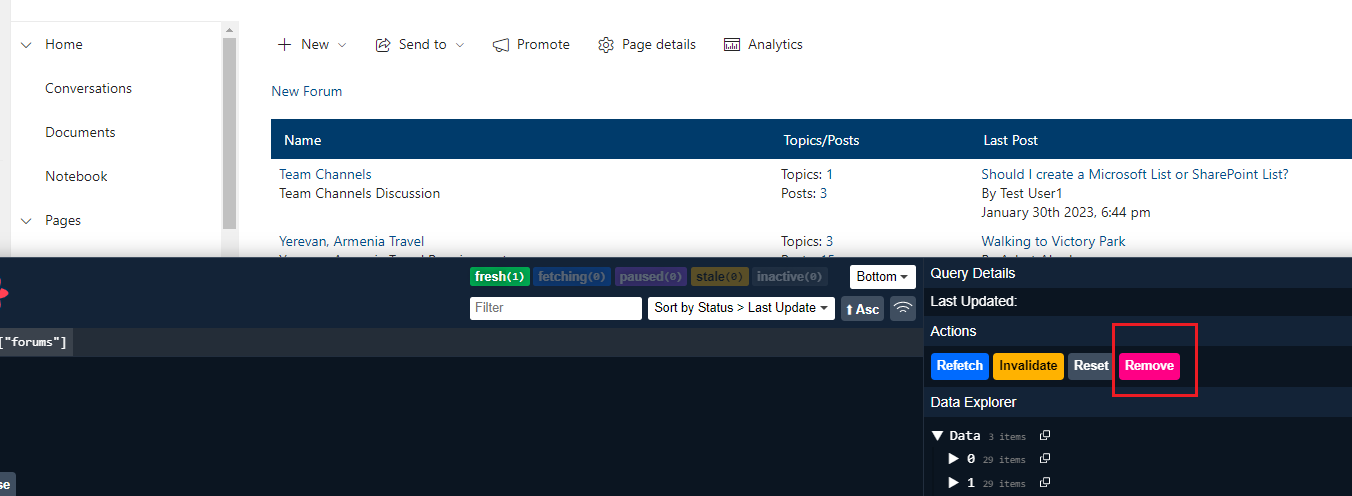
Figure 21
As an experiment let's remove the cache and click on refresh icon to re-fetch data.
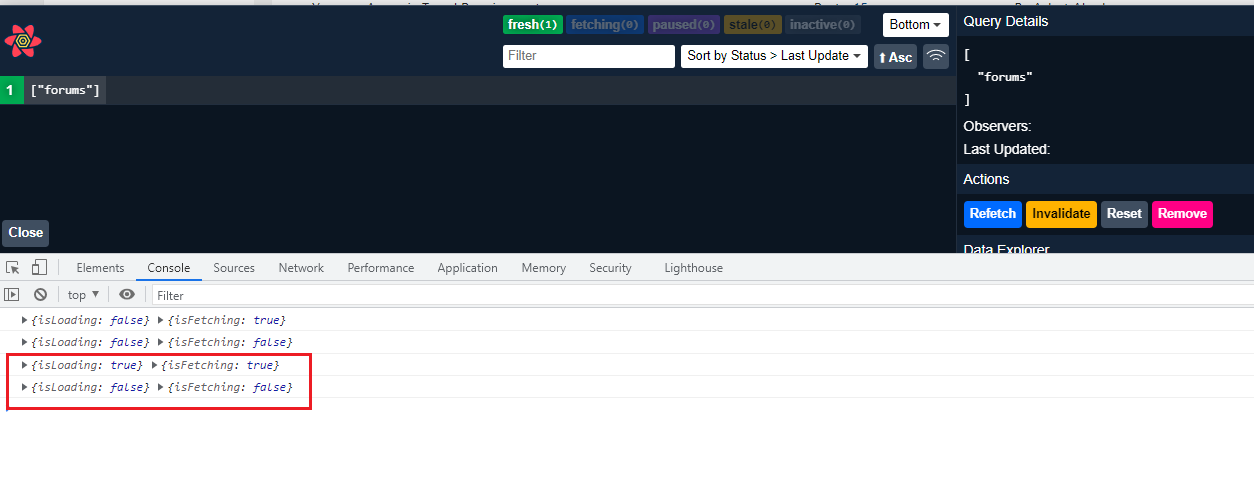
Figure 22
As there is no data in the cache both isLoading and isFetching are initially
true.
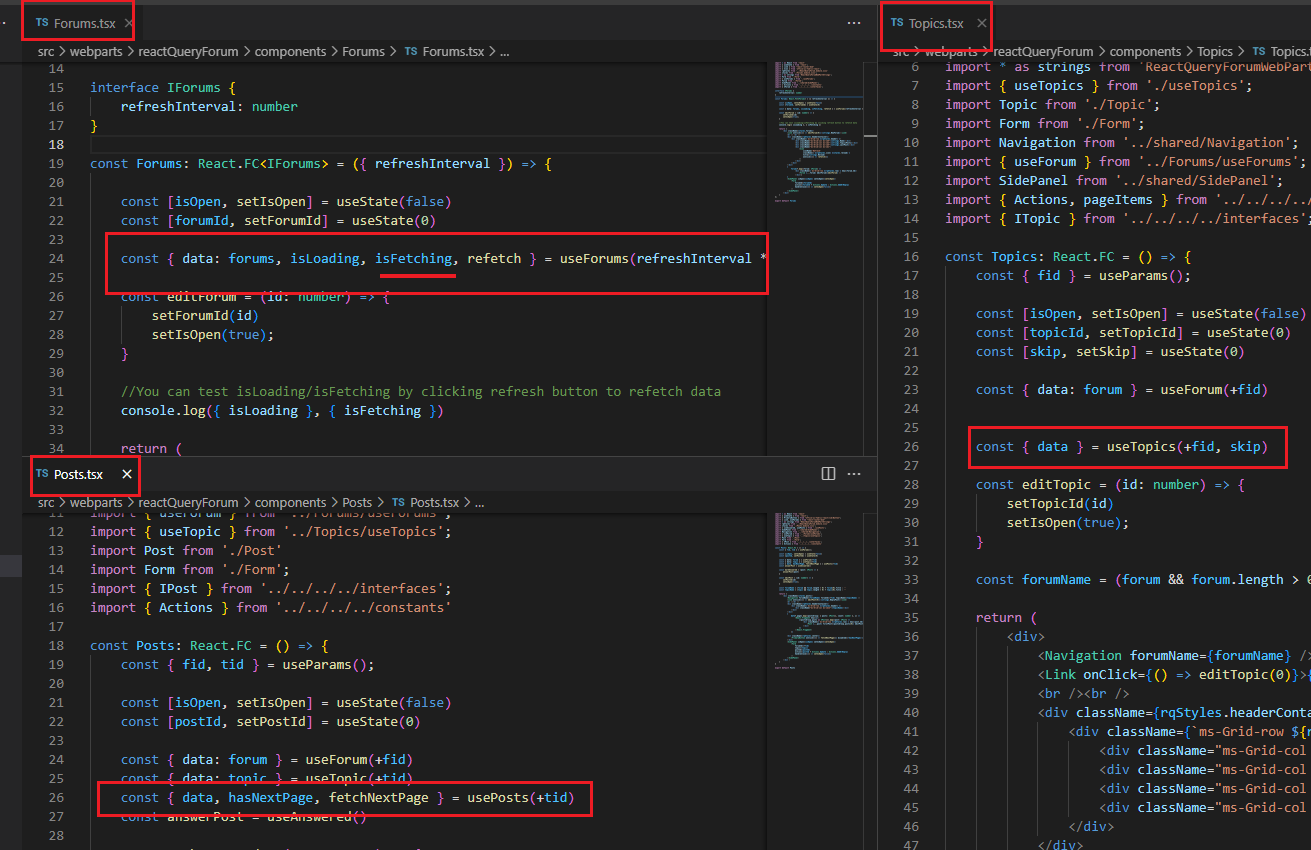
Figure 23
In our app we do not use isFetching property, and we used that just to console isFetching value but we still show the Loading Indicator 'Fetching data' (Figure 16)
on every page. In our app we have a centralized spinner that is just going to be a part of our app component and will turn it on if any query isFetching, and will
turn it off if there are not any queries that are fetching. useIsFetching is the magical hook that tells us whether there are any queries that are currently fetching.
This means we do not use isFetching for each of our custom hooks. Instead, we can use useIsFetching. We can use this hook in our loading component, and
the value of useIsFetching will tell us whether or not to display the spinner. The same is true with useIsMutating when we send data to the server.
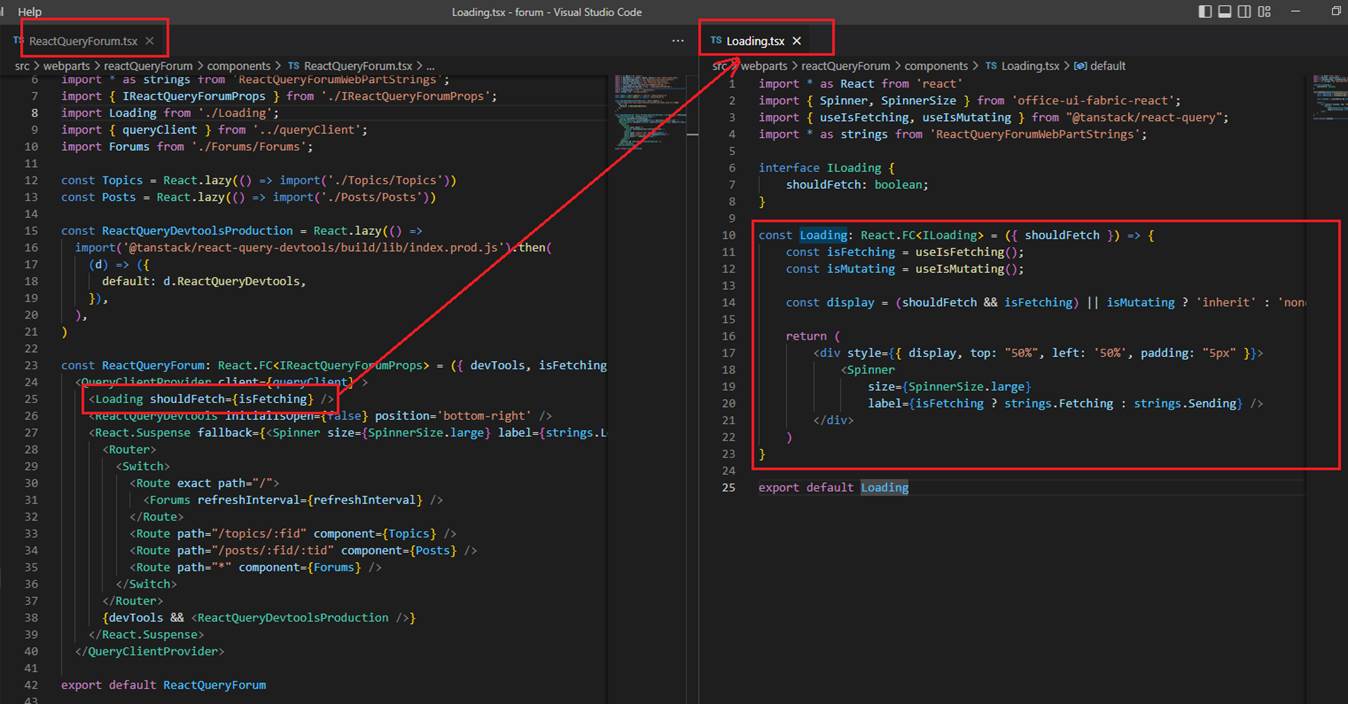
Figure 24
Let's understand re-fetching so we will be able to make better decision about suppressing refetches or using polling and so forth.
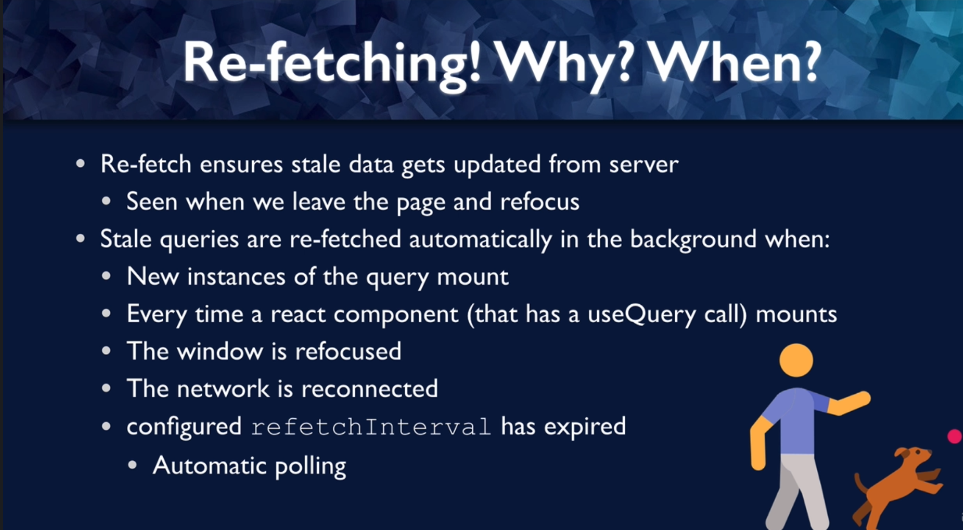
Figure 25
In general background re-fetching ensures that your stale data gets updated from the server and you remember we talked about stale data and that means
how long you are willing to accept data that might be out of date with the server. By default, you will see refetching when you leave the page and refocus.
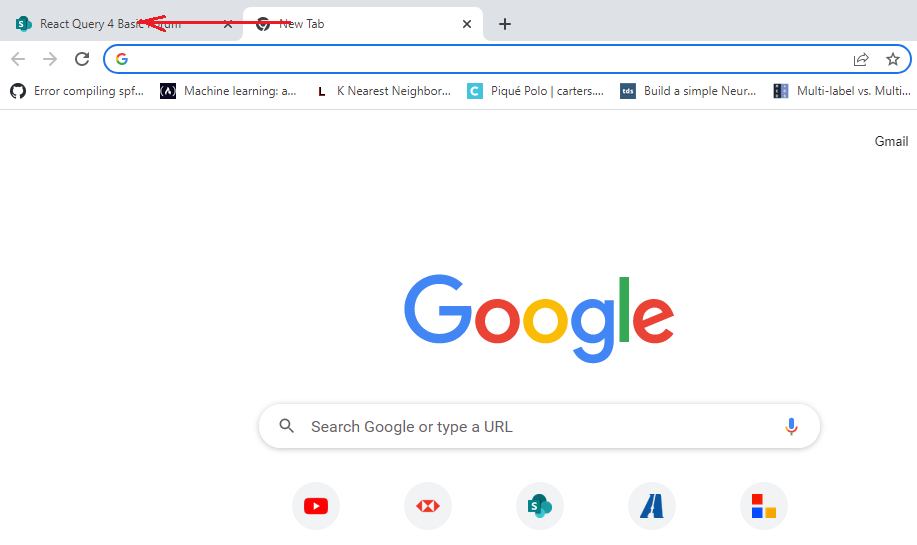
Figure 26
For example, if you navigate to the app tab from another tab then data will be refetched, unless refetchOnWindowFocus is set to false.
So, every time we refocus the window it is going to fetch any active, stale data. By default, stale queries are automatically fetched in the
background upon certain conditions; when new instances of the query mount, when the query with that key is called for the first time;
every time you mount a react component that calls a query; when the window is re-focused; when the network is reconnected, that seems like a good time to check
to see whether your stale data has been updated; when a configured refresh interval has elapsed that is if you want to fetch on an interval to pull the
server to make sure that is staying up to date even if there is no user action.
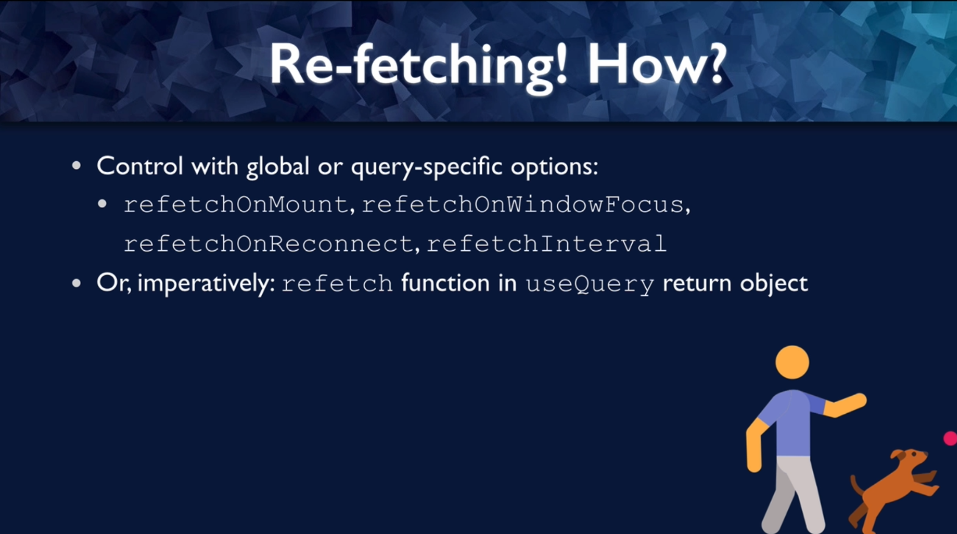
Figure 27
We can control with these options and they can either be global (Figure 15) for your query client in general or they can be specific (Figure 12)
to the useQuery call. refetchOnmount, refetchOnWindowFocus, refetchOnReconnect, refetchInterval, the first three are booleans and the last one
is a time in milliseconds. We can also refetch imperatively as we already saw it (Figure 20). By default, React Query is pretty aggressive with fetch.
All of these options are set to true except for refetchInterval which is not set.
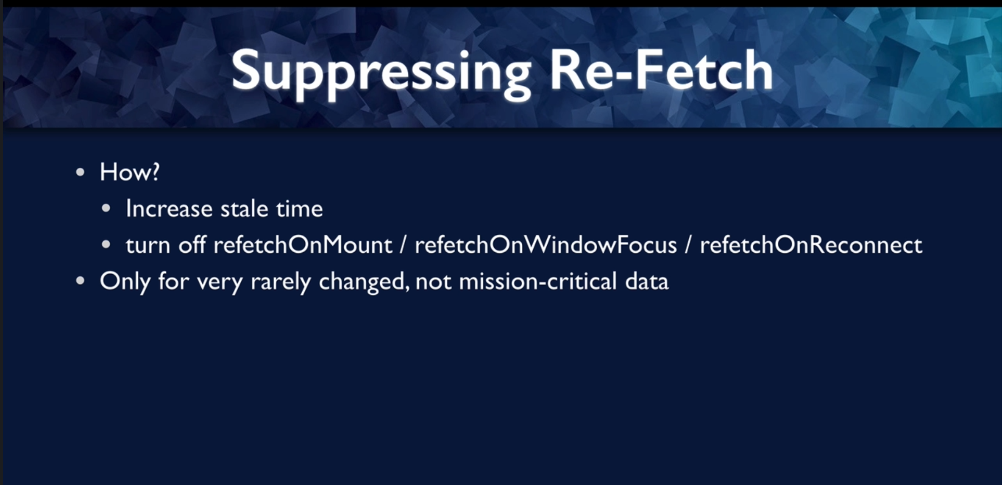
Figure 28
You may want to suppress refetch. You can do it by increasing the stale time, because even for those triggers, for example, window refocused or
network reconnect, these triggers will only trigger a refetch if the data is actually stale or you can turn off the one or all of those boolean options.
You probably want to be pretty careful about suppressing refetch, you only want to do it for data that does not change very often and is not going
to make s huge difference to your users if it is slightly out of date. In our app for forums page we set stale time to 10 minutes as forums will not
be created frequently. It is probably not going to make a huge difference to our users if those are a few minutes out of date.
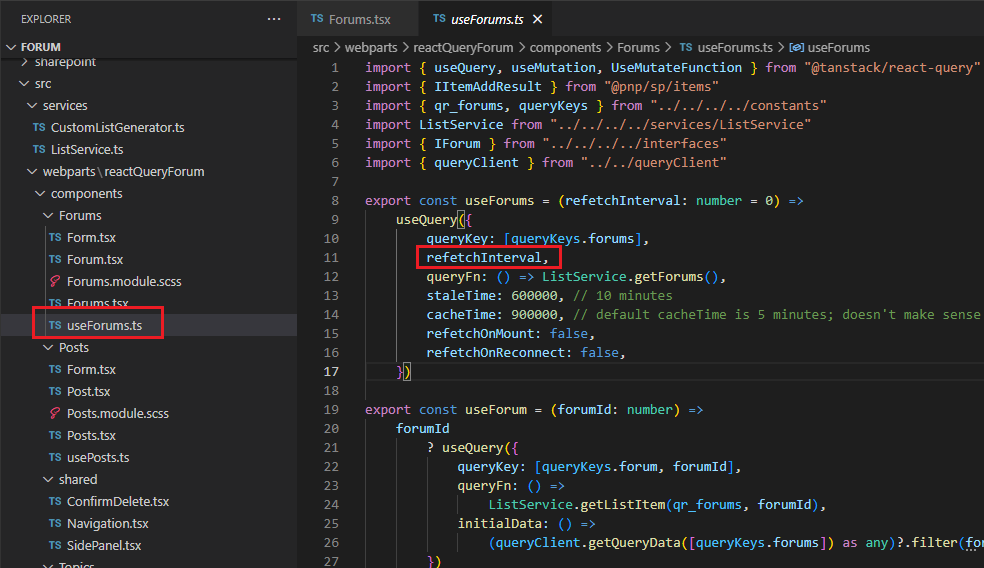
Figure 29
For demo purposes we can also pull forums' data by configuring refetchInterval property.
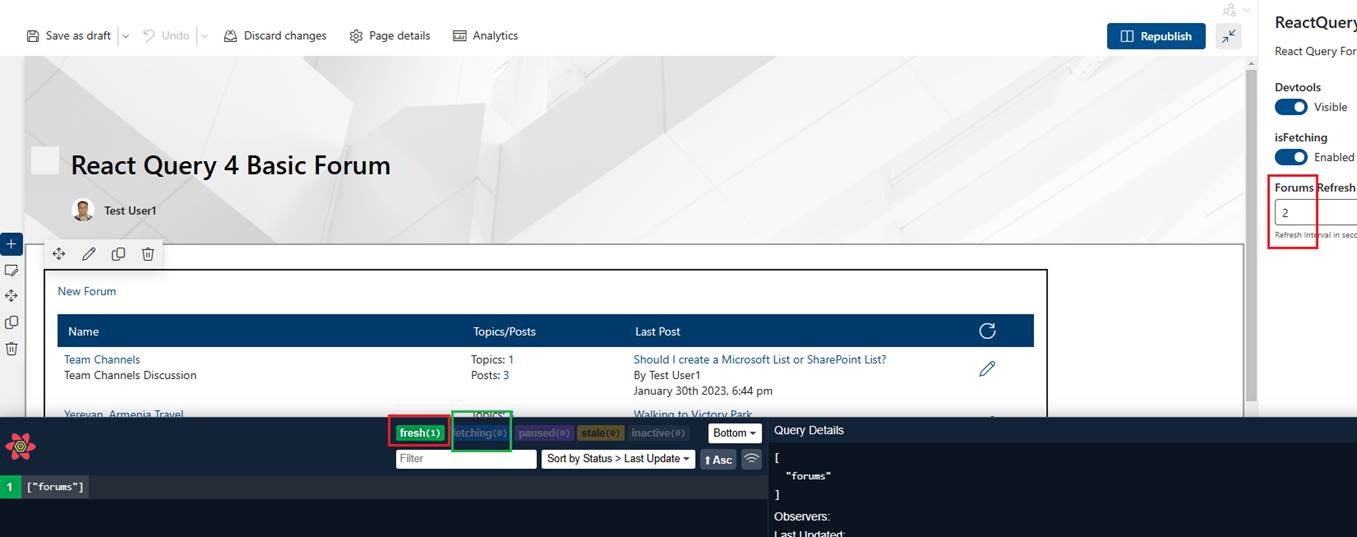
Figure 30
I set it to 2 seconds and at two seconds interval you will see switching between fresh and fetching.
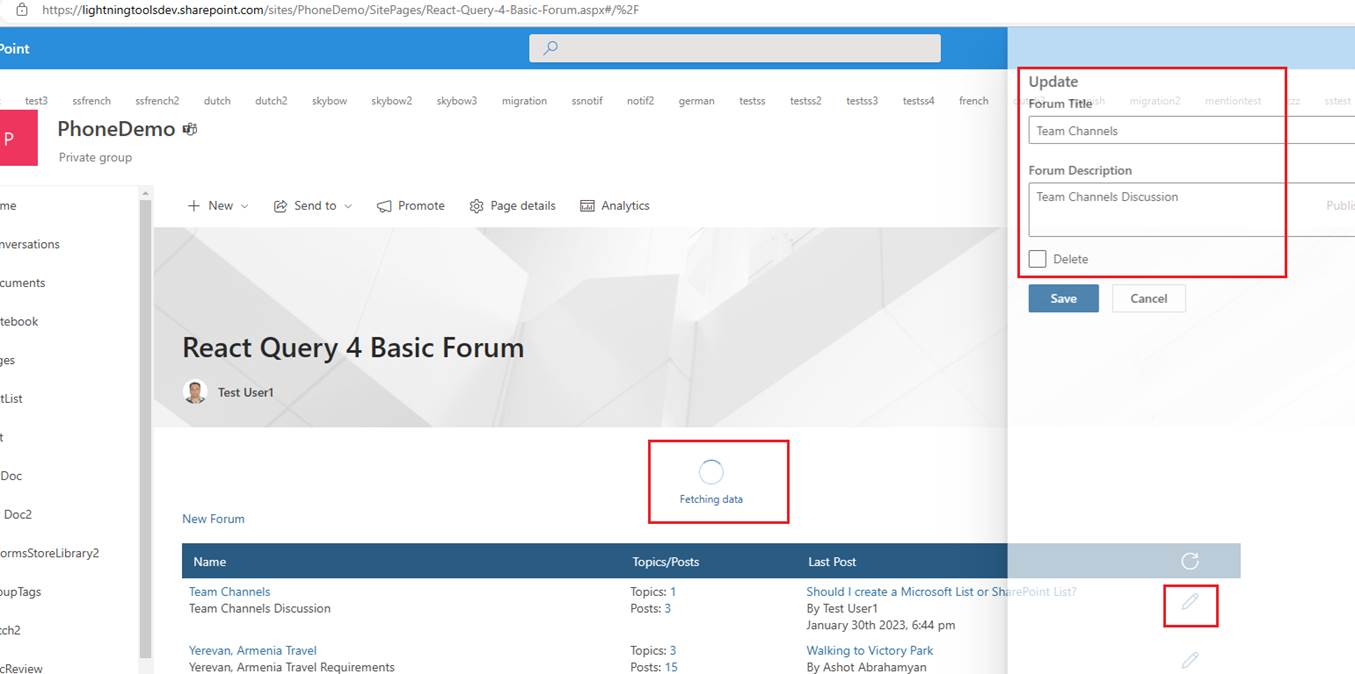
Figure 31
We are on forums page and trying to edit a forum. When you click on the edit icon, you may notice that forum's data appear inside text fields before the loading icon. I mean somehow, we could
get and display the forum's info inside text fields and some milliseconds later new data are retrieved from the server and replaced with the current ones.
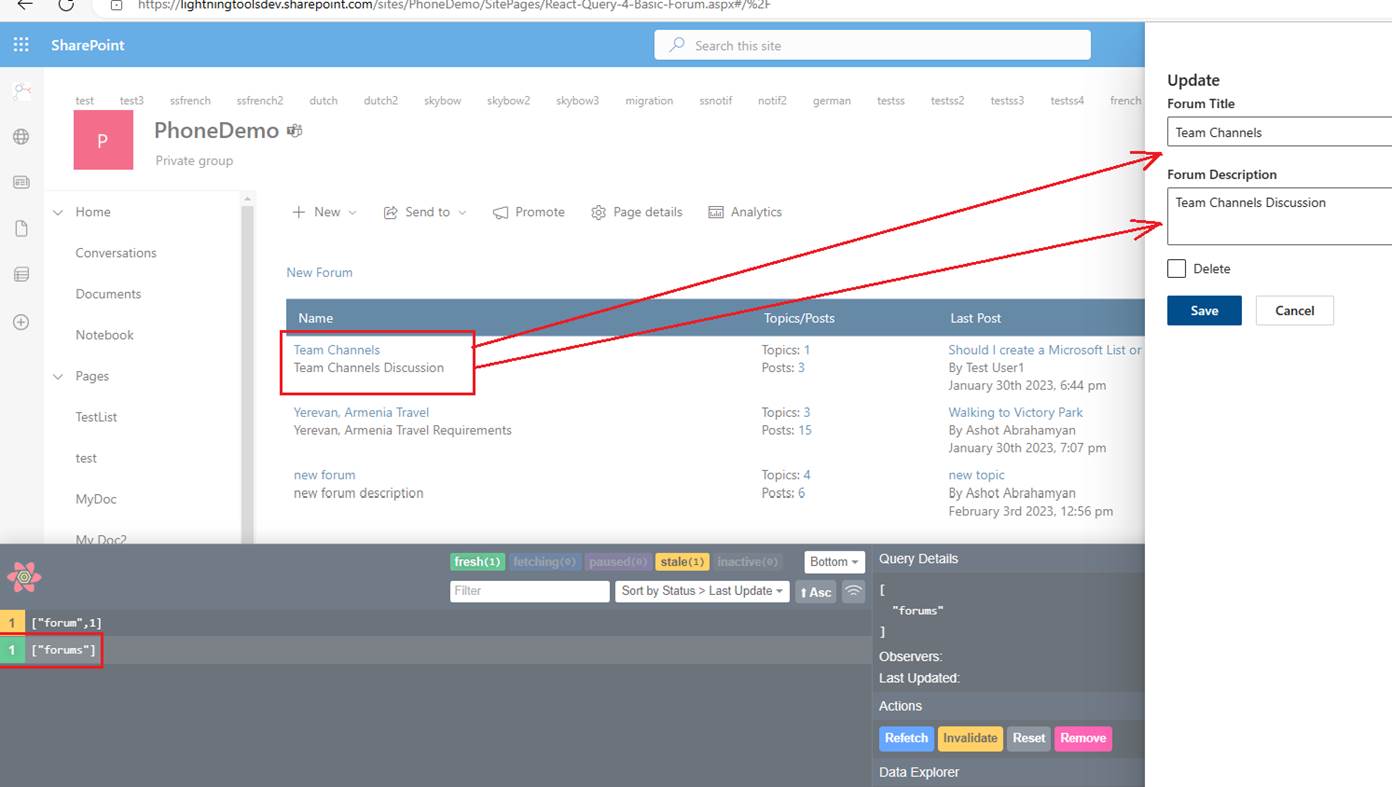
Figure 32
When we load forums page, RectQuery puts forums' data into cache. Once we edit a forum, we could get the editing forum info form the cache and display it to a user before getting the forum data
from the server. Background refetch is initiated and once the forum's details are retrieved, they will overwrite any initial data we might have set. This way we improve the data viewing experience
for a user by providing initial query data.
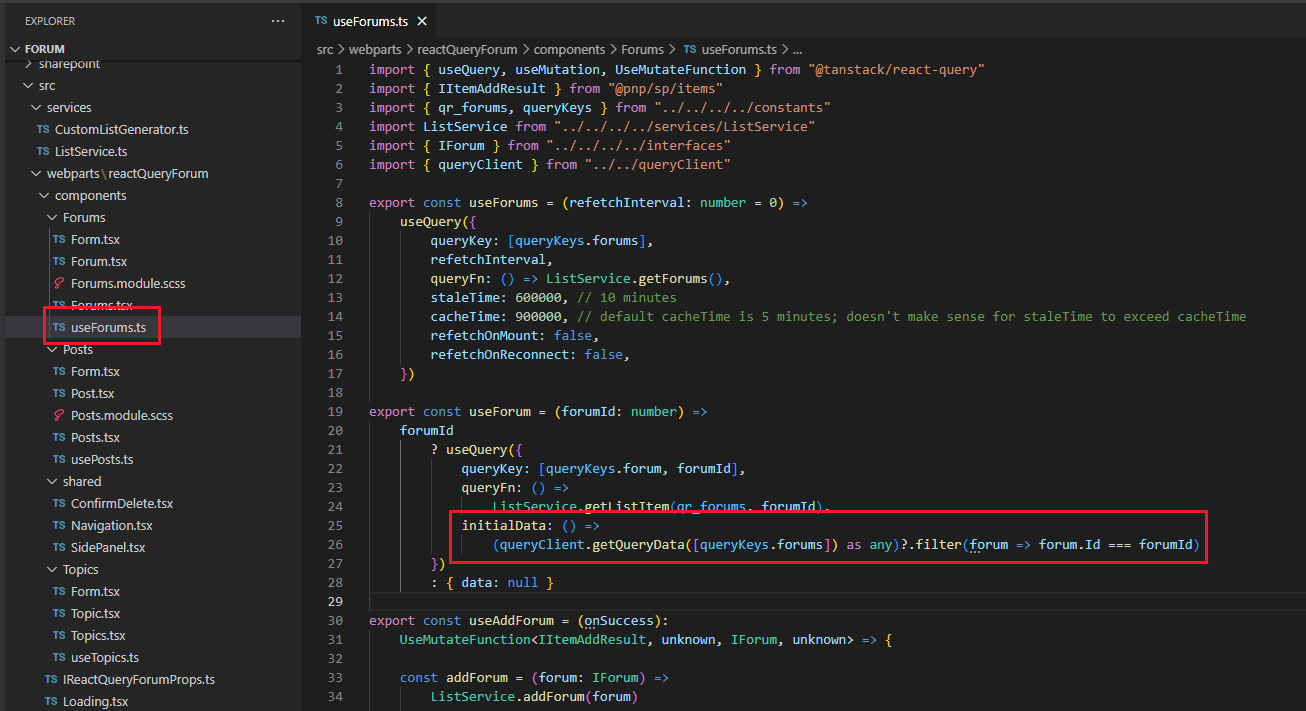
Figure 33
In useForums hook we have useForum function to get the forum's data from the server. But you see we also defined initialData function to get the forum's data from the forums cache
via getQueryData function.
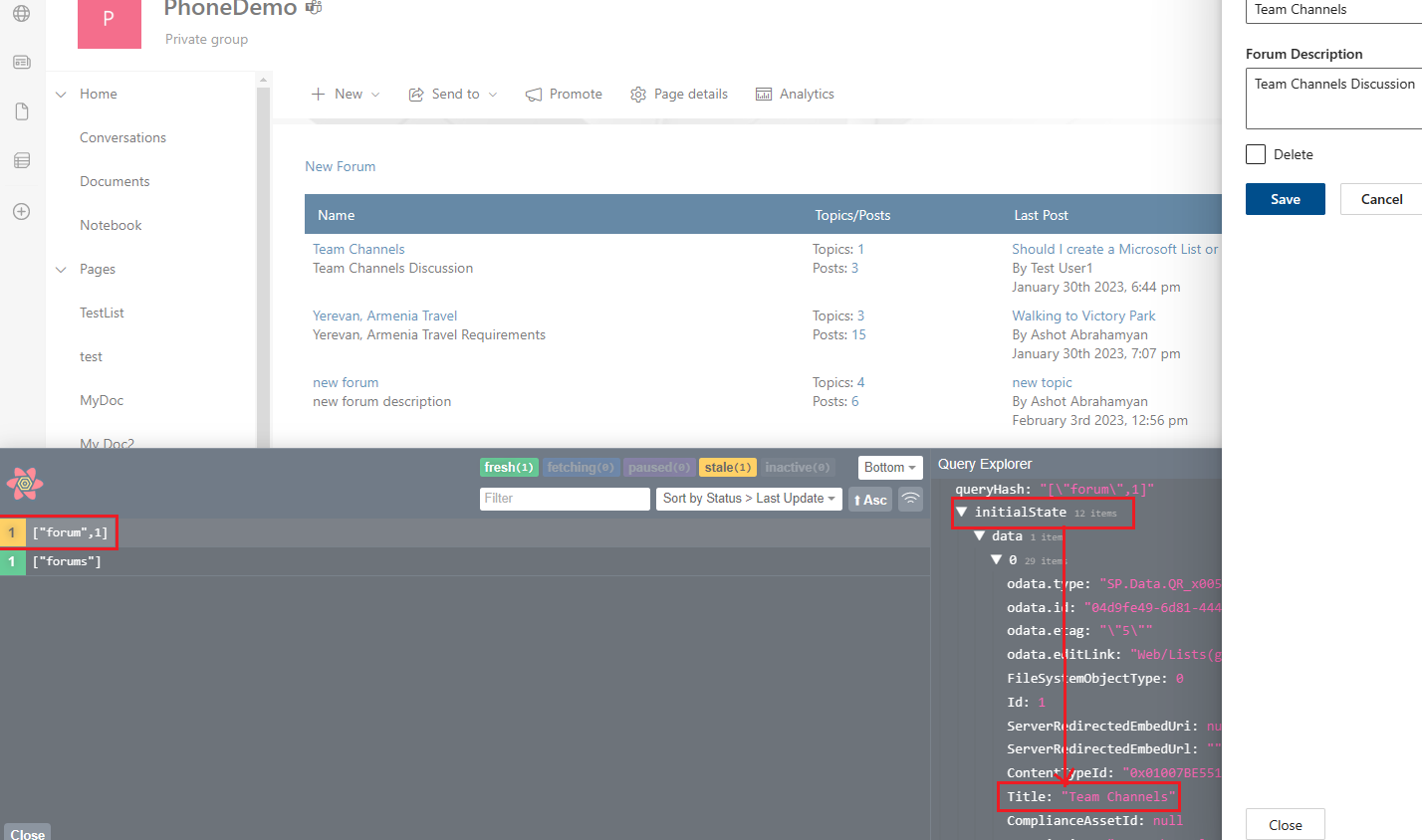
Figure 34
In the dev tools you see that we actually set initial data from forums cache. If forums cache was expired then initial data would be undefined and no initial data would be set.
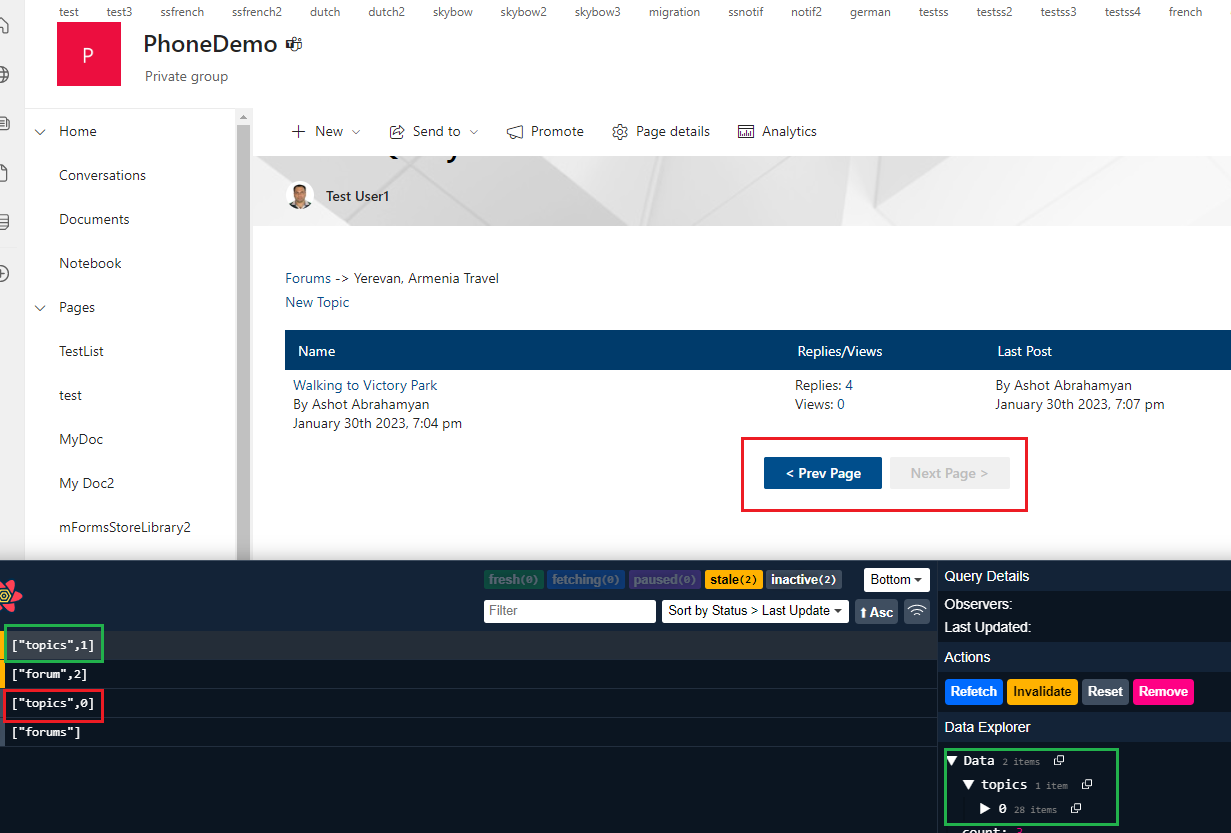
Figure 35
You may notice that we used pagination in topics page. In this sample we have two pages. In the dev tools we have ['topics', 0] key for the first page and ['topics: ' 1] key
for the second page and the second page actually has one topic.
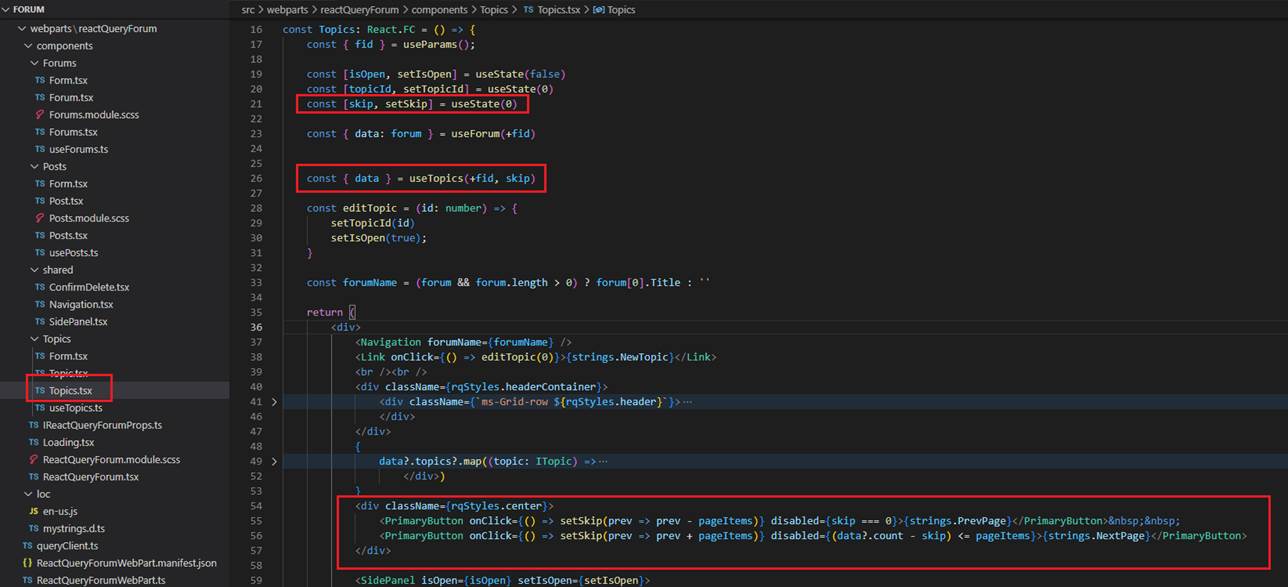
Figure 36
In Topics.tsx page we defined skip state variable and pageItems is two. We disable '< Prev Page' button when we are on the first page and disable 'Next Page >' button when we are on
the last page.
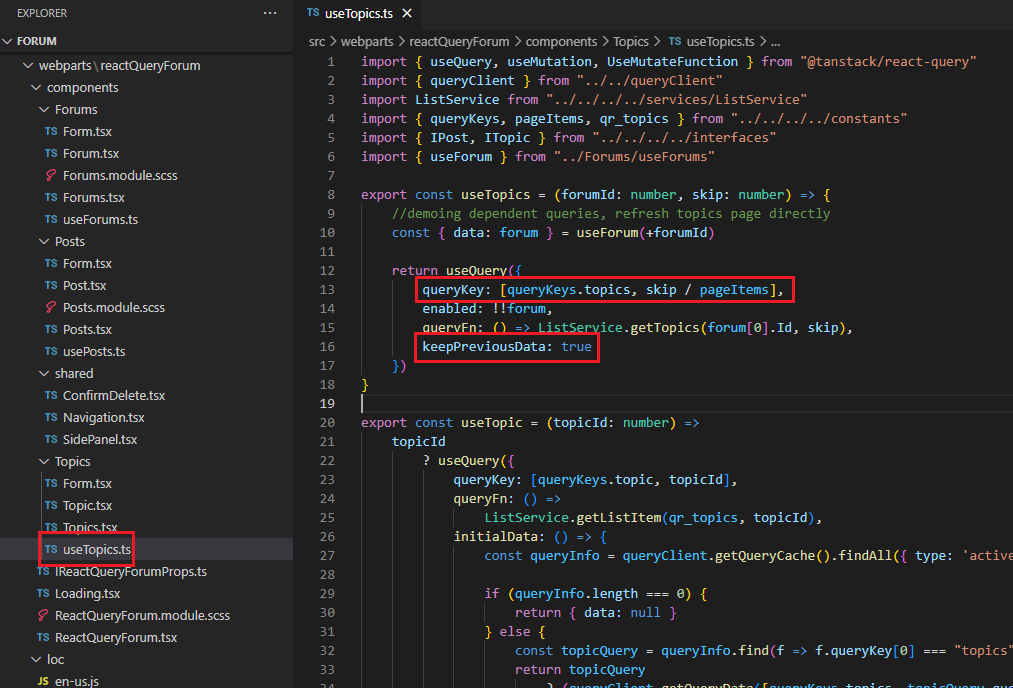
Figure 37
The important thing here is that we should assign a new key for each page data. If we load the first page then the key is ['topics', 0]
for the next one ['topics', 1] and so on. You should treat keys as dependency arrays. If the data is going to change, you want to make sure
key changes so that you get new data so that it makes a new query. If you specify, say, ['topics'] as a key then when you try to load the second page
it will not load new data; it will just get data from the cache that you have fetched for the initial page.
We also specified keepPreviousData which means that the data from the last successful fetch is available while new data is being requested
even though the query key has changed. Suppose, we are on the second page that we navigated from the first one. Suppose, someone
updated the first topic's info. When you navigate back to the first page with keepPreviousData it will show you first page topics data from the cache
then after fetching new topics data, it will transparently be swapped to show the new data.
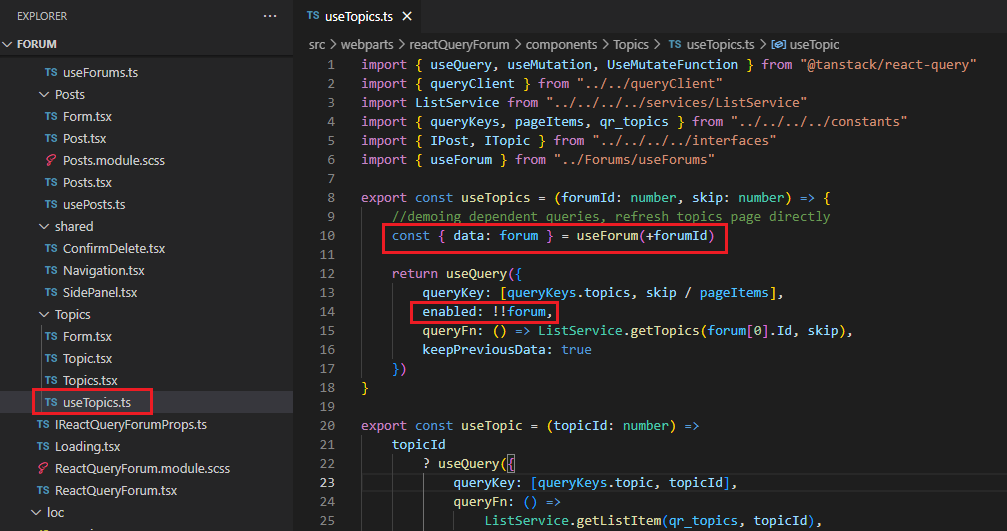
Figure 38
While we are discussing useTopics I want to show something related enabled queries.
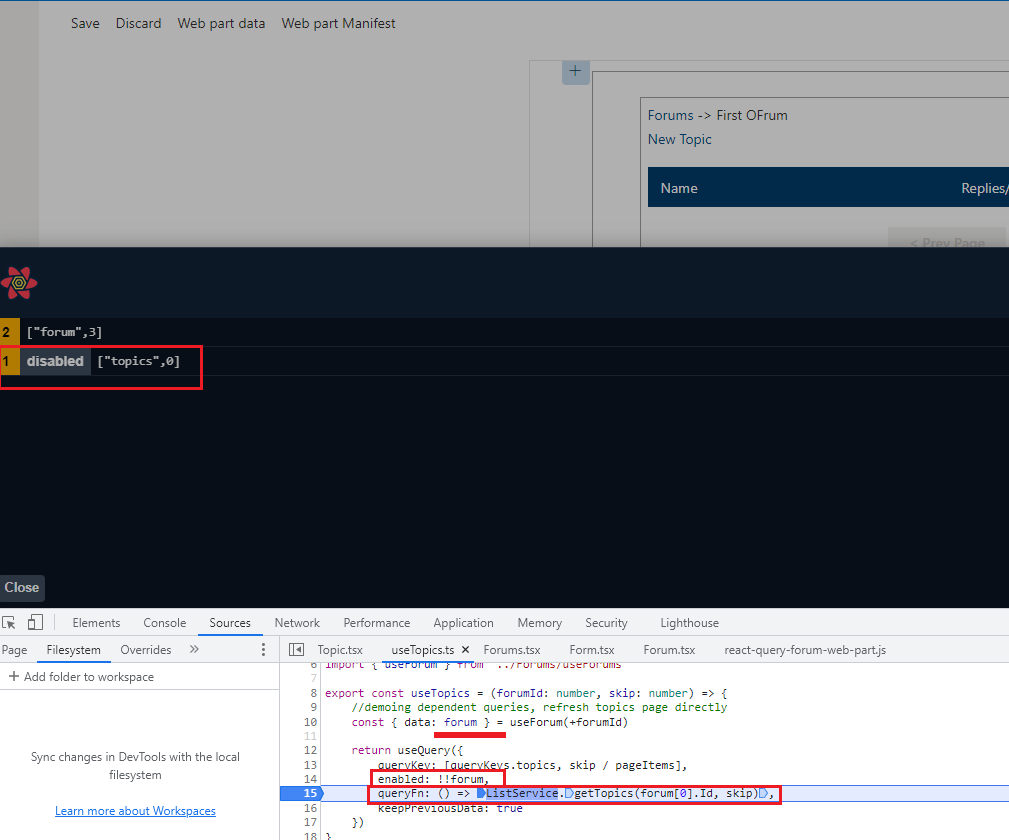
Figure 39
I was on topics page and refreshed the browser. In useTopics hook we provide forumId but for a moment let's assume that we have to get the forum information
by calling useForum hook. In other words, useForum hook will give us the forum info where we can get the forum Id from and pass is to the next query to retrieve topics
that belong to the forum with the specified forum Id. You should notice that the forum info may not be immediately available as it takes time to load.
We want the second query that retrieves topics to be fired only after the forum Id has been retrieved. For that reason, we set enabled property. With enabled we are saying
that only after the forum Id is retrieved fetch topics. You see in the picture above that when forum Id is not available then the second query that retrieves topic will not be executed.
It is disabled and once the forum Id is available then the second query will run.
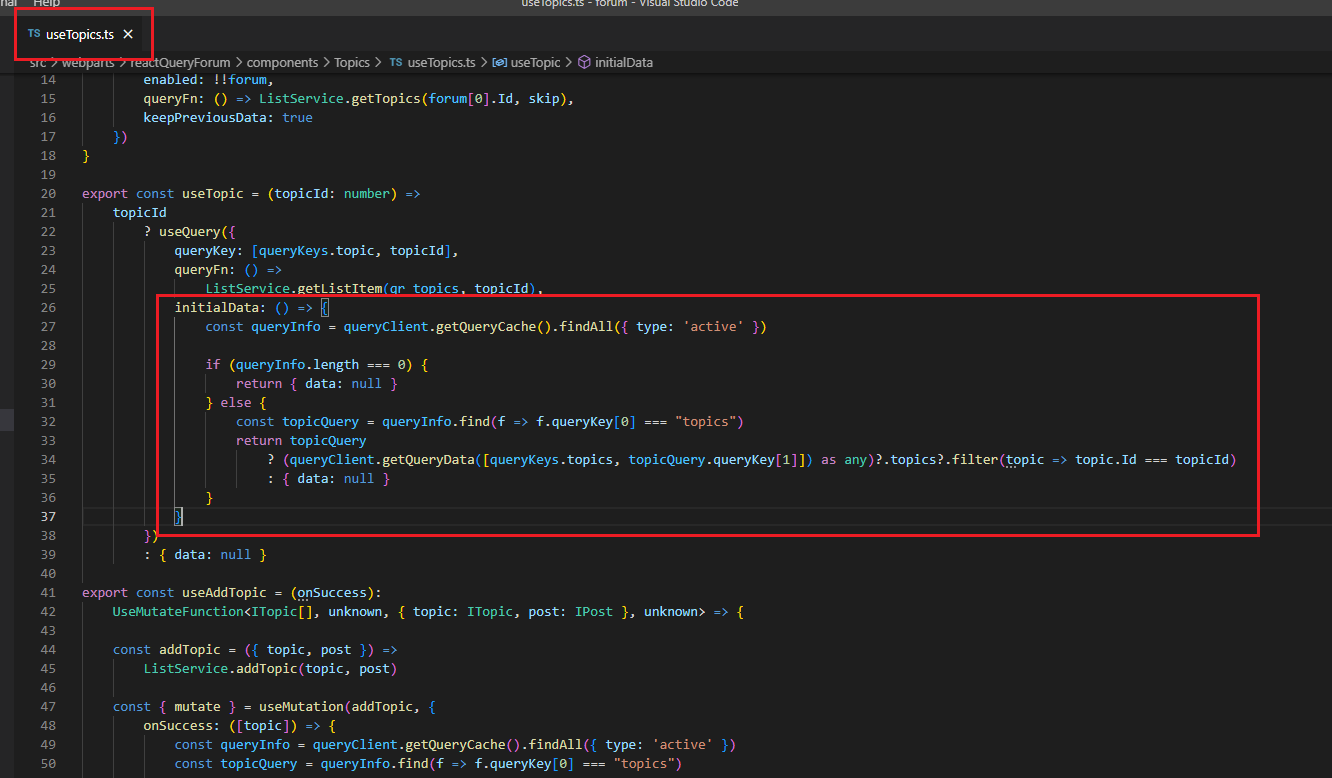
Figure 40
Similar to forums we also use initialData to show a topic's info from the topics cache before retrieving it from the server and swapping transparently.
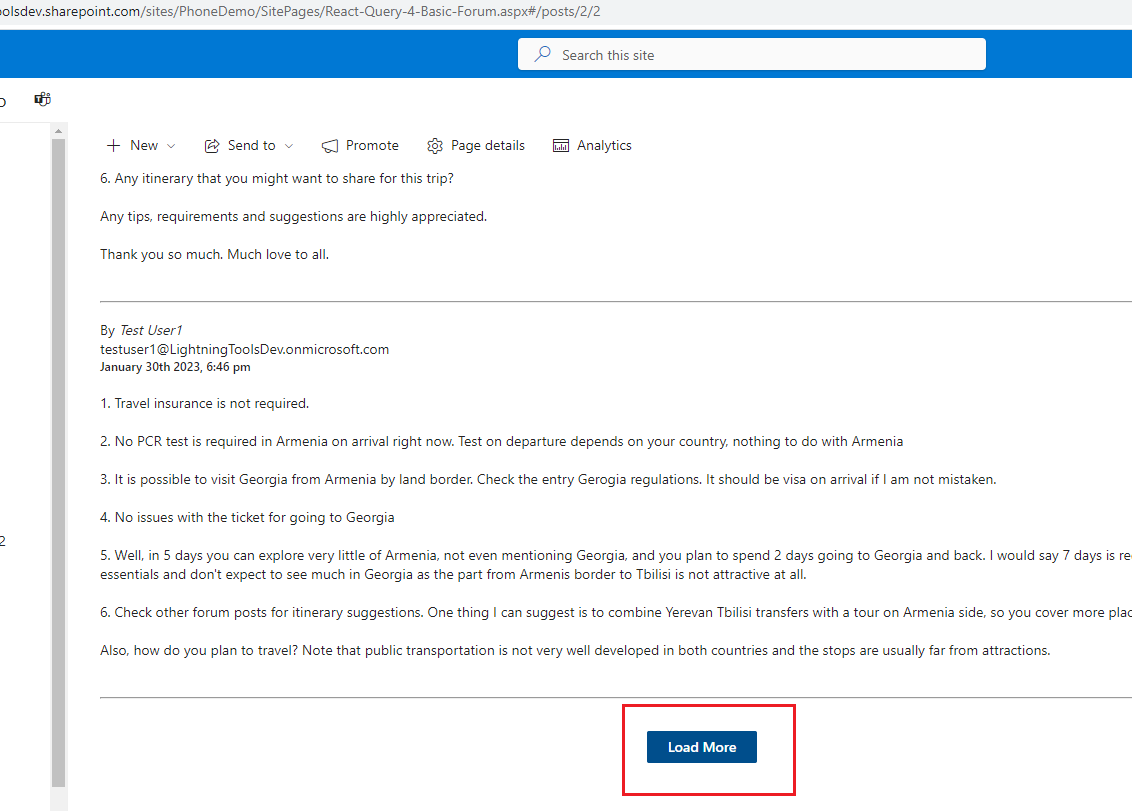
Figure 41
Our forum's post page is using infinite queries.
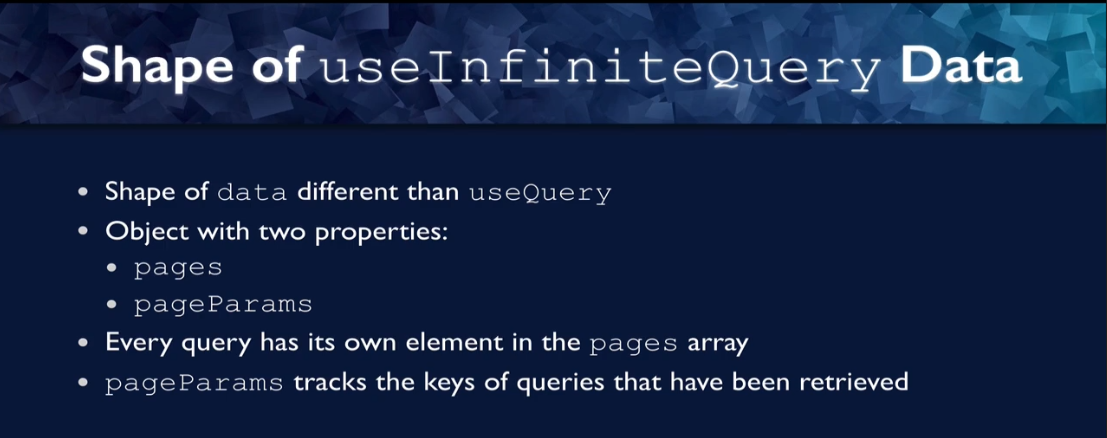
Figure 42
useInifiniteQuery is different from useQuery in some key ways that are not always obvious. The first way is that the data, the data property that is
returned in the return object is a different shape with use query. The data was simply the data that was returned from the query function, but with
useInfiniteQuery. The object actually has two properties. The data object has two properties. It has pages, which is an array of objects for each page of data.
So, each element in the page array would correspond to what you would get for data from a single useQuery. Then there is pageParams and that is recording
what your program is for every page. Every query has its own element in the pages array, and that element represents the data for that query. The query
is going to change as we advance the pages and then pageParmas keeps track of the keys of the queries that has been retrieved.
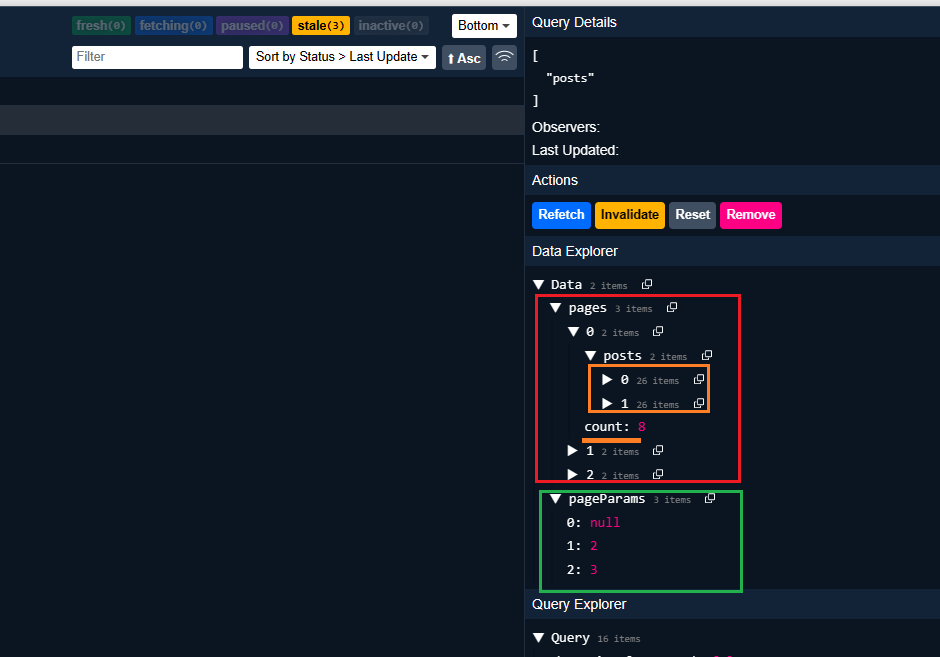
Figure 3
I loaded the post page and clicked on 'load More' button twice. We have three pages with three pageParams and each page contains 2 posts (pageItems is 2) and overall posts count which is 8 in this case.
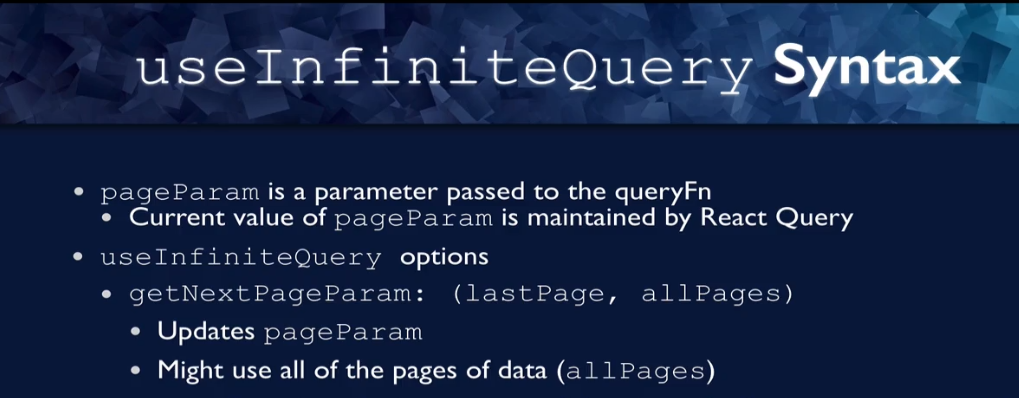
Figure 44
The useInifiniteQuery syntax also differs from useQuery and this is where the power is. This is where we can use it to keep our infinite scroll going.
pageParam is a param is a parameter passed to the query function and that looks like this. The current value of pageParam is actually maintained by React Query.
It is not part of the component state and the way we do that is with an option to use infinite query. There is a getNextPageParam option, which is a function
that will tell it how to get the next page, either from the data from the last page or from the data for all pages.
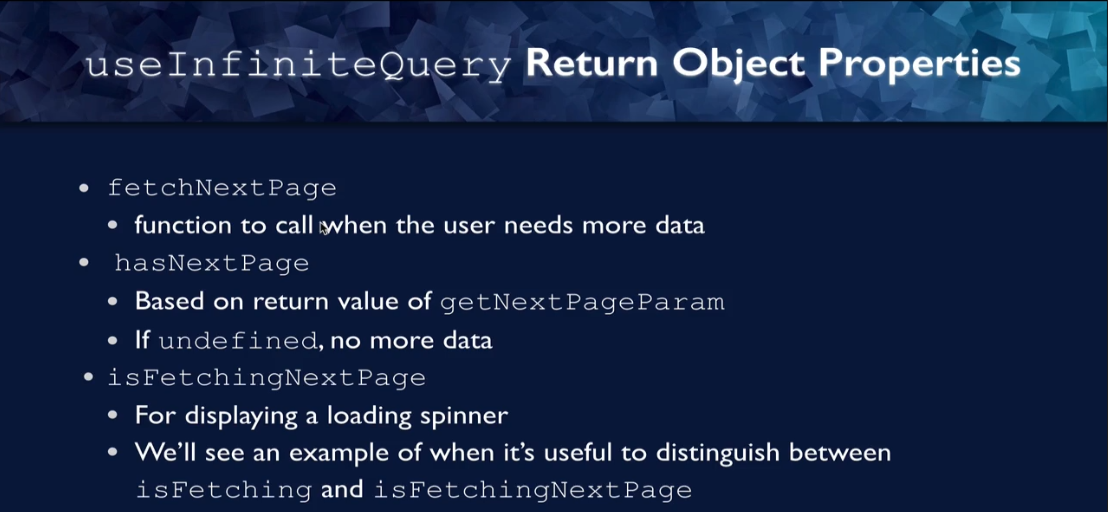
Figure 45
There are also some properties of the return object that are different from use query. One is fetchNextPage. This is the function that we want to call whenever
the use needs more data, so even when they click the button that asks for more data or when they hit the point on the screen where they are about to tun
out of data. Another one is hasNextPage, this is based on the return value of that getNextPageParam function, the property that we pass to useInfiniteQuery
to tell it how to use the data from the last query to get whatever our next query is going to be. If this is undefined that means that there is going to be no more
data and hasNextPage will be false.
We also have isFetchingNextPage, this is something that useQuery did not have any concept of but useInfiniteQuery can distinguish between whether it is
fetching the next page or whether it is just fetching in general.
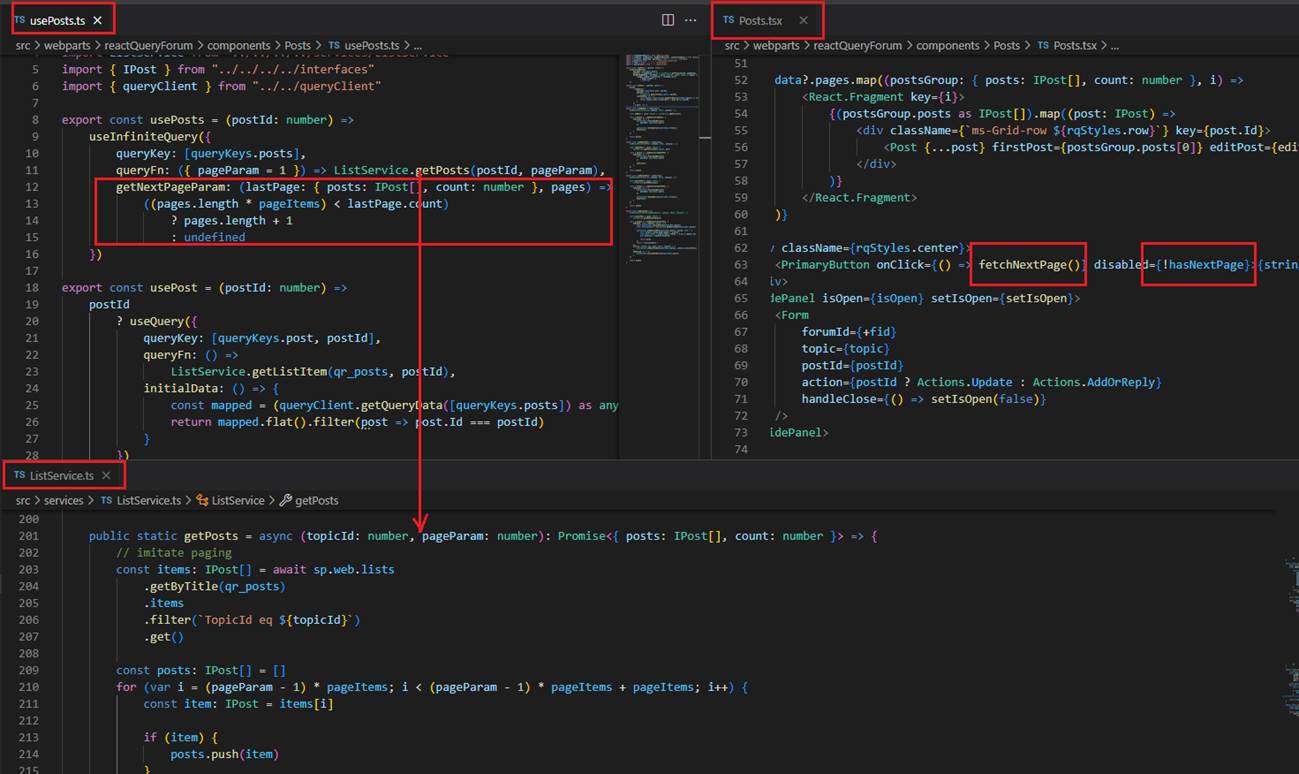
Figure 46
Here infinite query implementation for posts page.
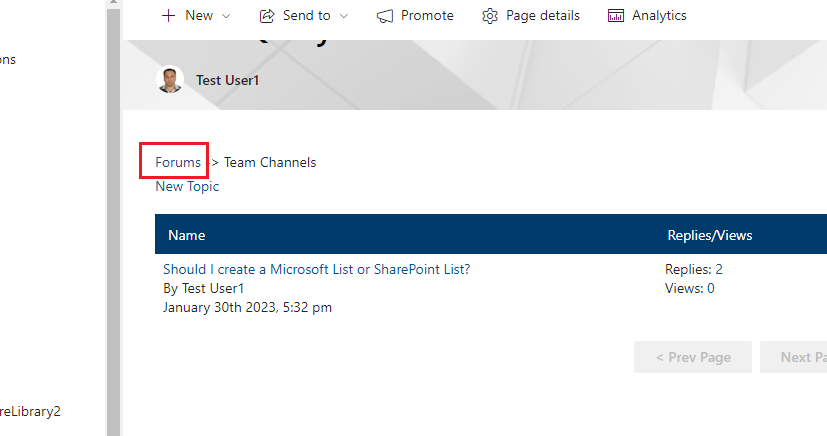
Figure 47
If you navigate to topics page from forums page and then navigate back to forums page you will not see the loader 'Fetching data' indicator because forums data are fresh
about 10 minutes, so no network call. If you go form posts to topics page you will always see the loading indicator as topics' stale time is zero. Every time you are back from posts
to topics then network call is made.
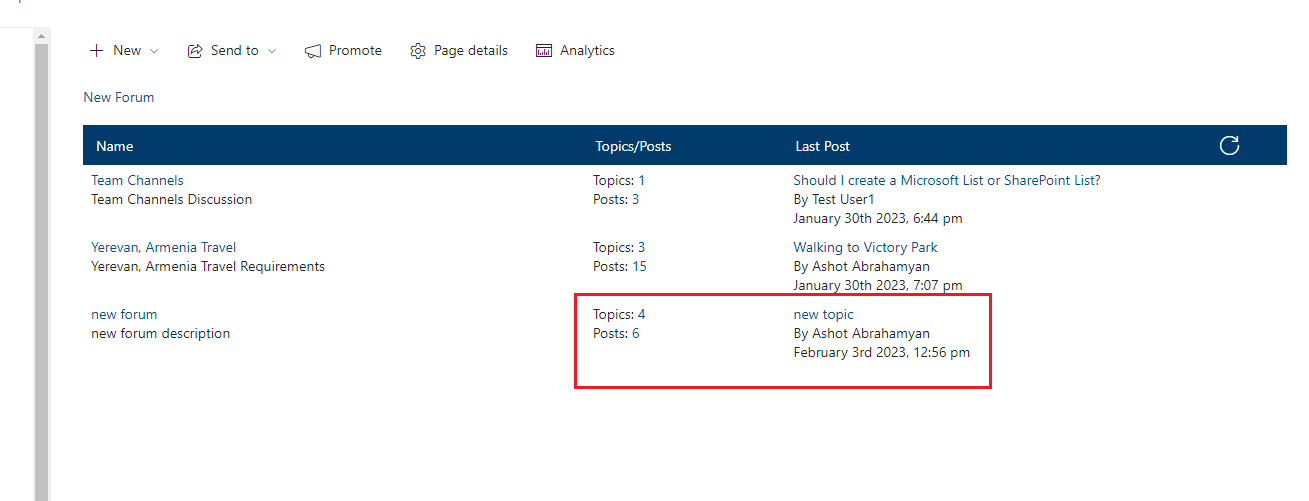
Figure 48
In some cases, we should load forums data even if forums are fresh. For example, we add a new topic or reply a post then topics or posts count should be changed and the last poster
could also be another user.
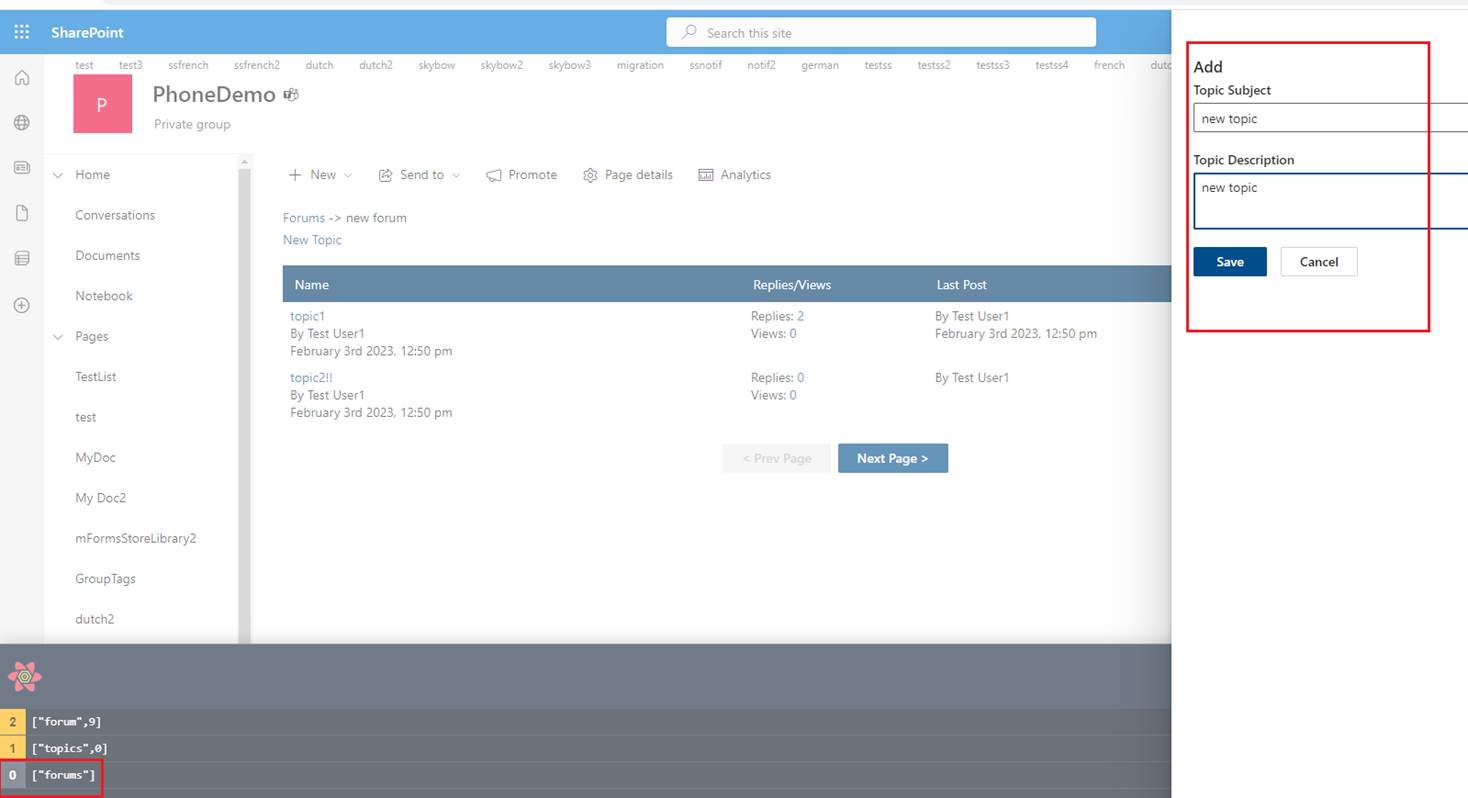
Figure 49
I navigated from forums page to topics page and trying to add a new topic. What I am going to do is that once a new topic is created, I am going to remove forums from the cache.
When I navigate back from topics page to forums page a network call will be made and forums will be loaded from the server as forums are not in the cache anymore. As
we are getting fresh data from the server we will see right topics and posts count and the last poster.
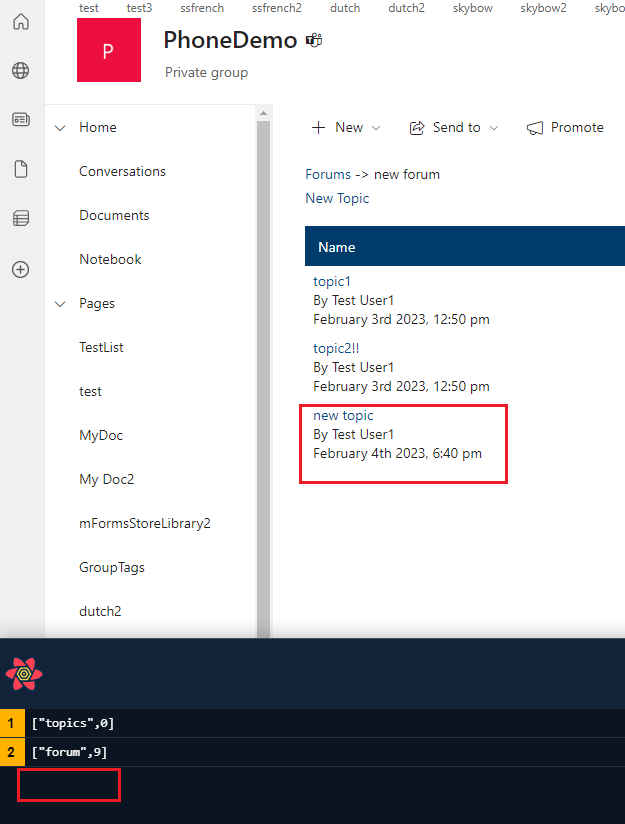
Figure 50
I created a new topic and forums was removed from the cache.
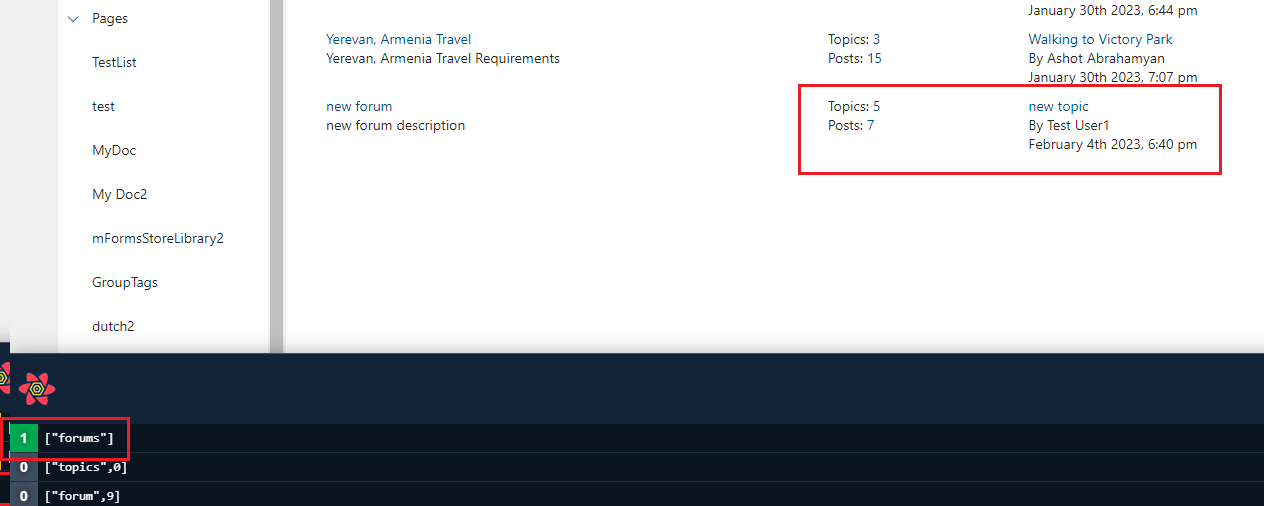
Figure 51
Now, when I navigate form topics to forums page (Figure 47) you will see that forums are retrieved form the server and cached and we have right topics and posts count and the last poster.
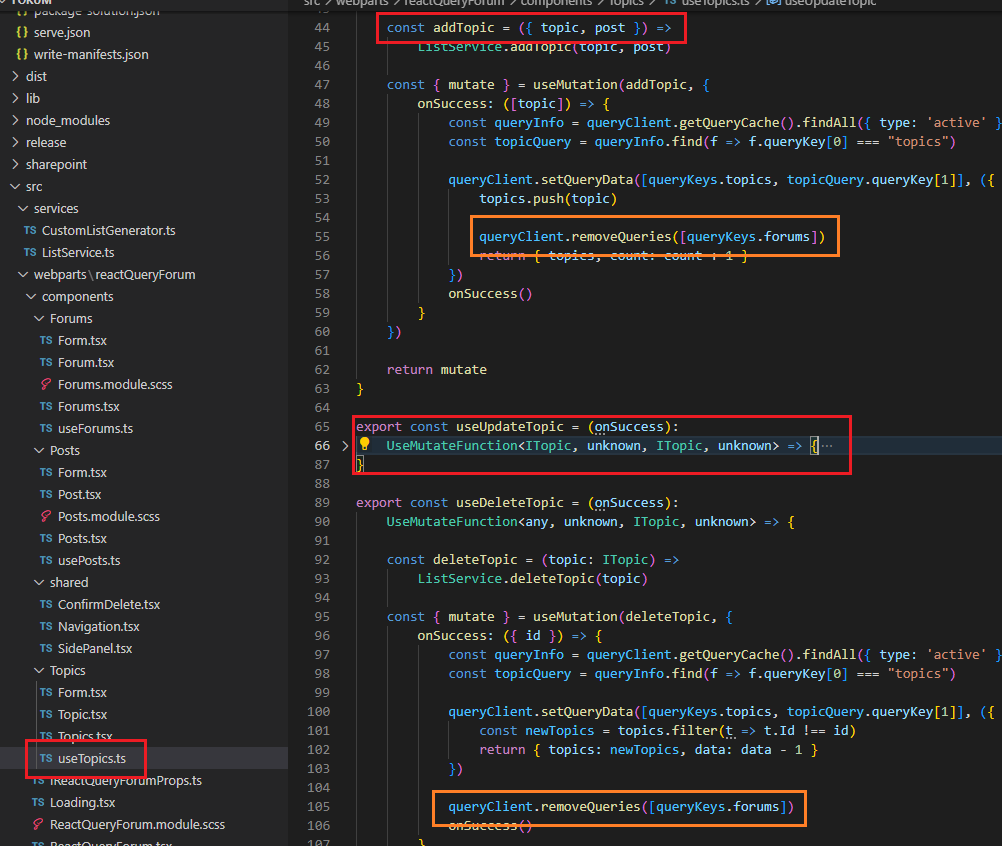
Figure 52
When we add a new topic or delete them, we remove forums from the cache via removeQueries method.
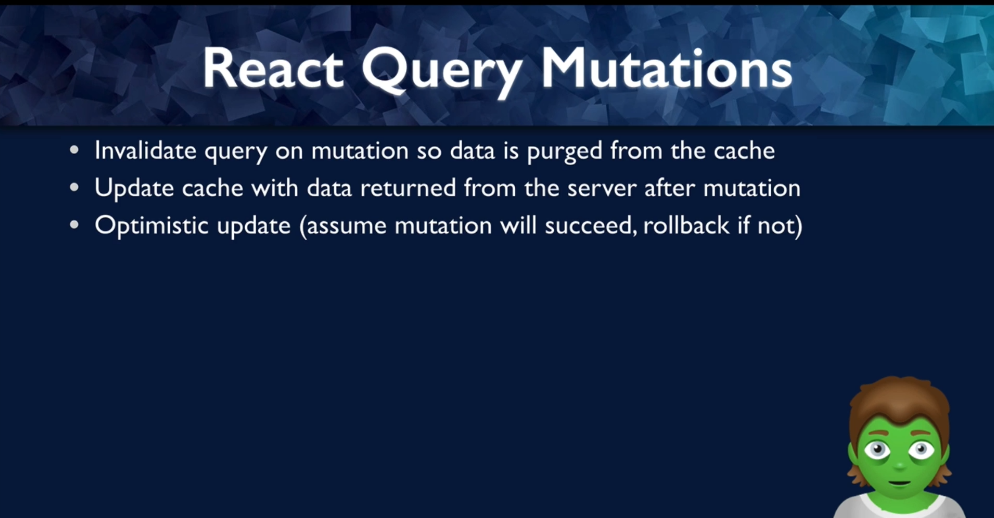
Figure 53
Up until this point we have been only getting data from the server. We have not been doing any setting data on the server but with mutations
that is going to change. Because the server data is going to update, we are going to look at invalidating the queries so that the data is removed
from the cache and we trigger a fetch. We will also update the cache in circumstances where when we send a mutation, we get new data back from the server.
We will also take a look at optimistic updates, and by optimistic we mean that we are hopeful that our mutation is succeed, but we are able to roll back
if for some reason it does not.
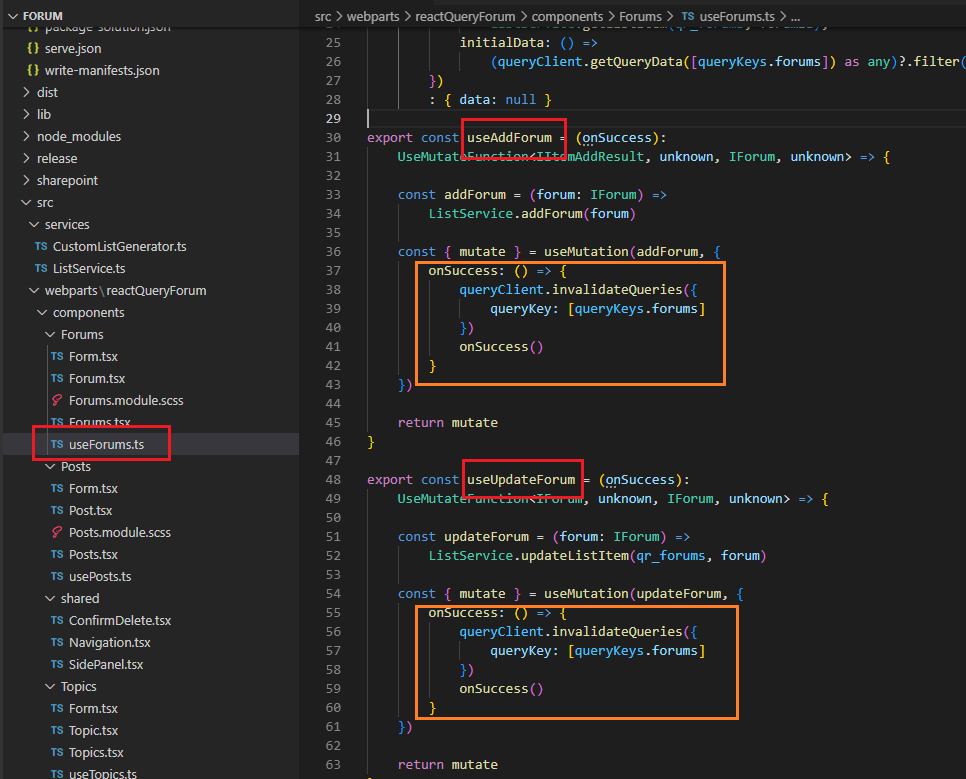
Figure 54
When we add, update or delete a forum, in the success callback of the useMutation hook we invalidate forums query.
By invalidating the query, React Query will refetch the forum query and that is it.
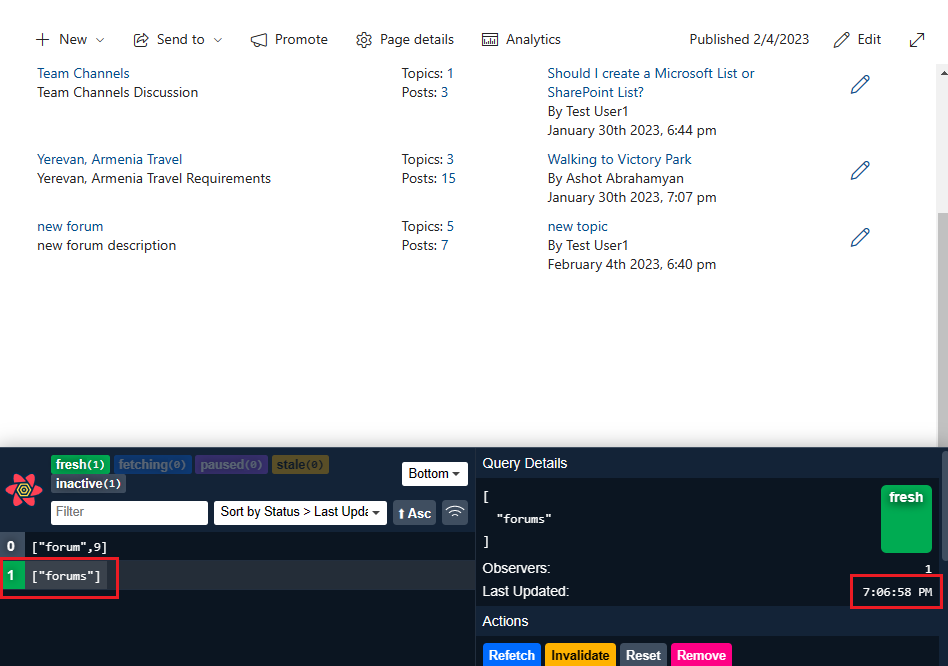
Figure 55
I am on forums page.
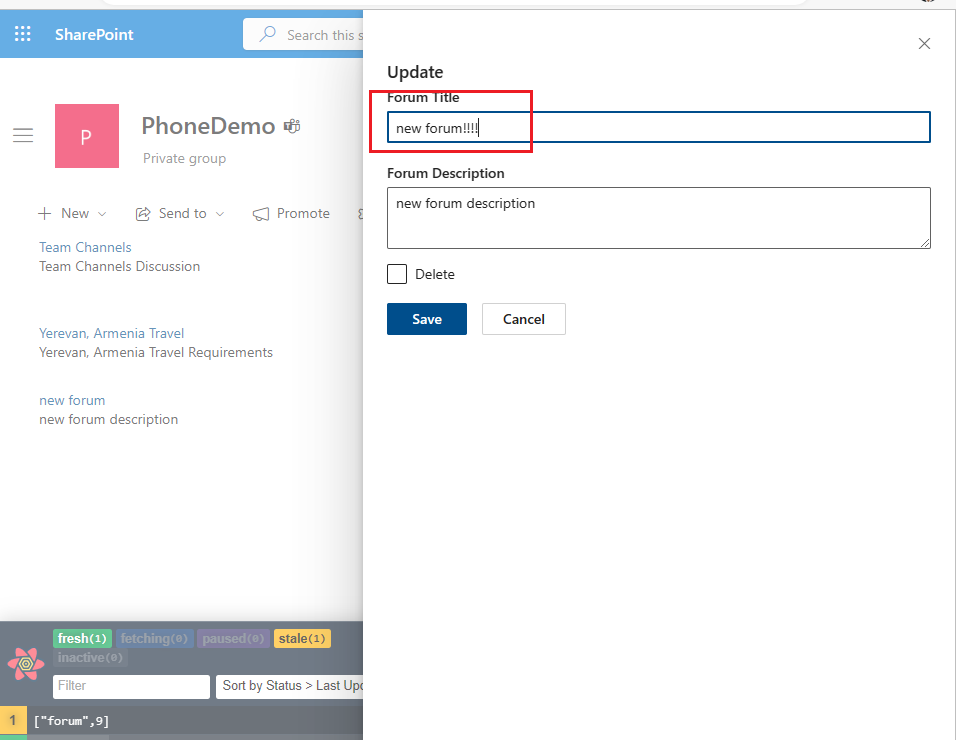
Figure 56
I am updating a forum.
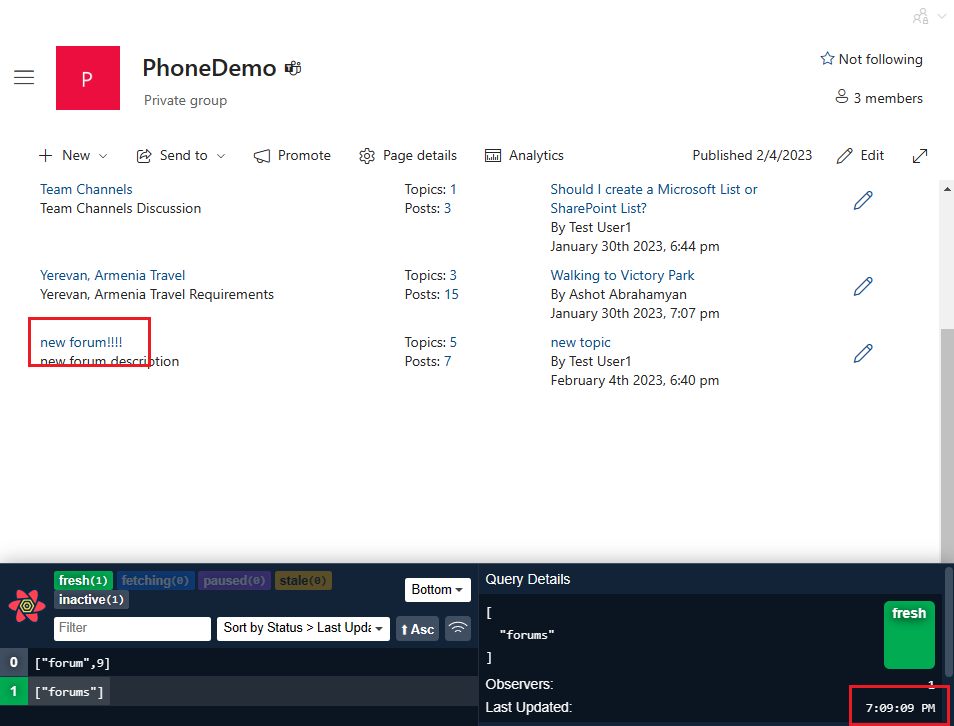
Figure 57
After the update network call was made all forums are retrieved from the server. You see fresh time has changed.
In this case when we updated the forum, we made POST request then with another GET request we got the updated forum's data.
Actually, the updated data is automatically returned in the response of the mutation, so instead of refetching a query for the
forum and wasting a network call for data that we already have we can take advantage of the object returned by the mutation
function and immediately update the existing query with the new data.
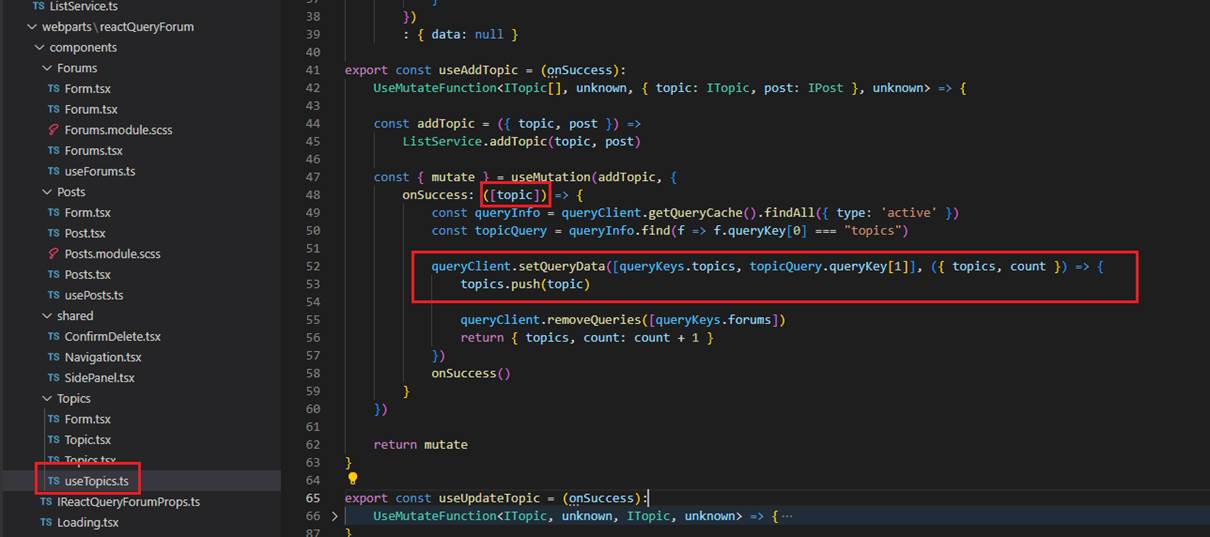
Figure 58
If you try to go topics page and update a topic, you will see that after the update there is no loading indicator 'Fetching data' like in forums case as we do not fetch data from the server.
What we do is we get the topic's info from onSuccess callback of useMutation and use setQueryData method to update query cache.
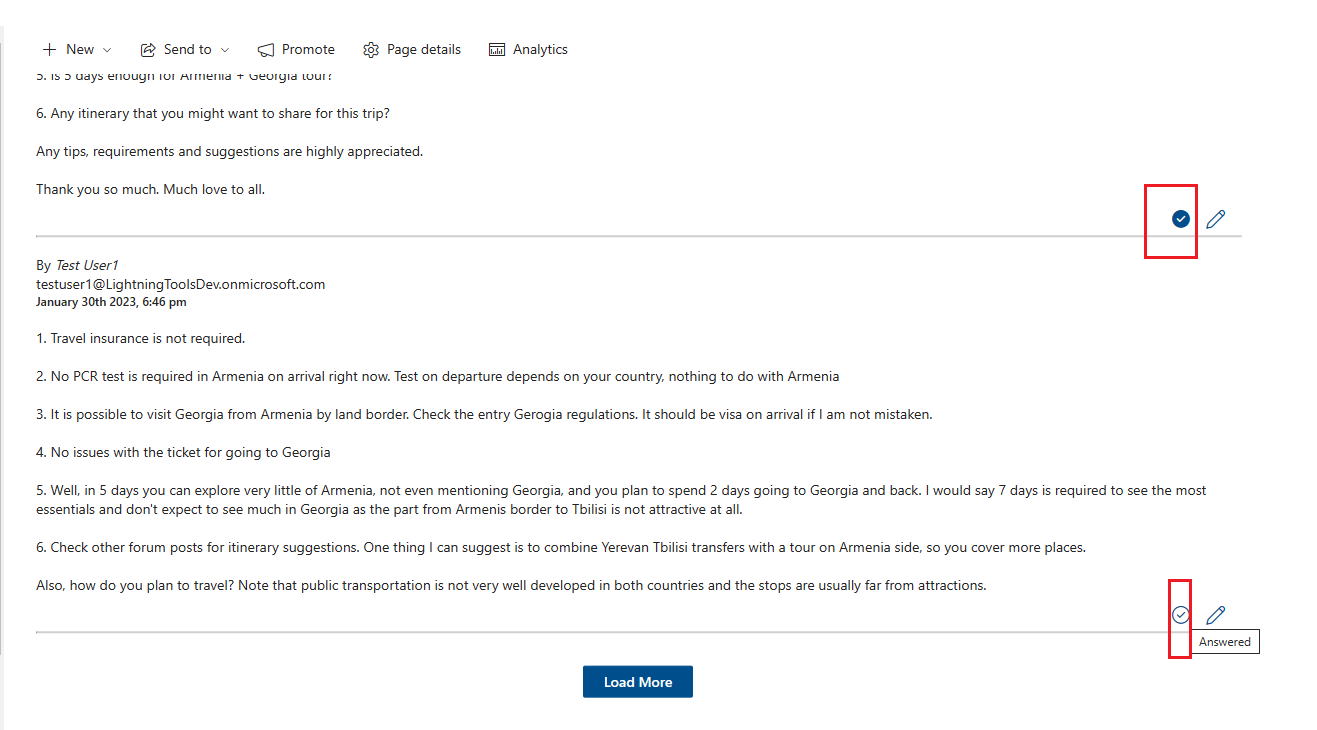
Figure 59
In our app a user can mark a post as answered or unanswered. In this case we are going to use optimistic update with react query. By optimistic we mean that we are
hopeful that our mutation is succeed, but we are able to roll back if for some reason it does not. It is typically done to give an impression that your app is super-fast.
When dealing with optimistic updates though you do have to consider a scenario where the mutation can in fact error out. Managing optimistic updates is typically
not so straightforward.
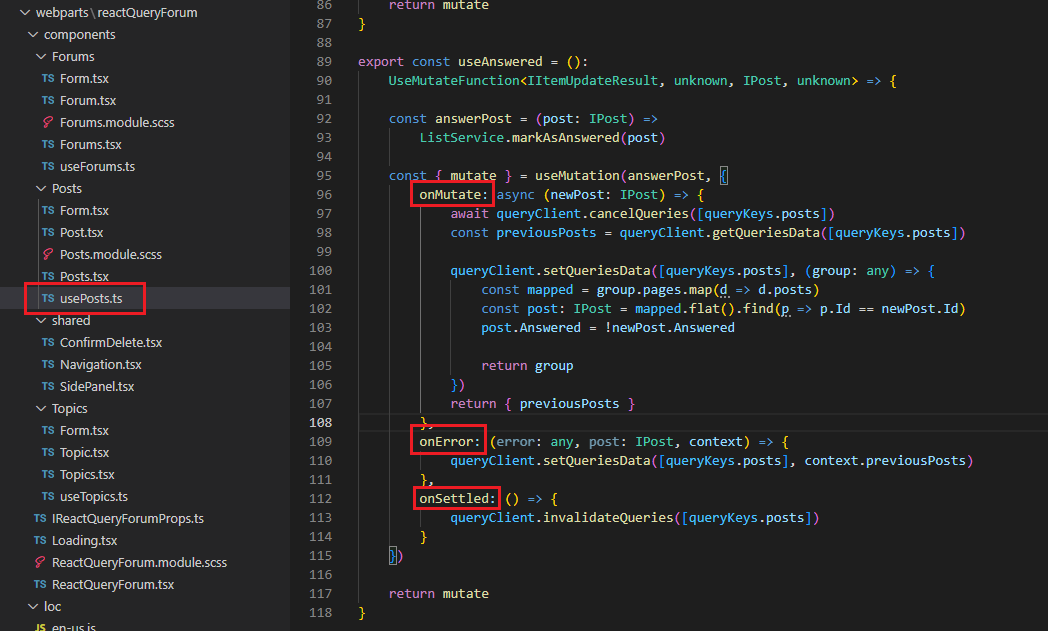
Figure 60
We need three callbacks for the optimistic updates, onMutate, onError and onSettled. onMutate is called before the mutation function is fired and is passed the same variables the mutation function
would receive. In our case it is post that we want to change Answered property.
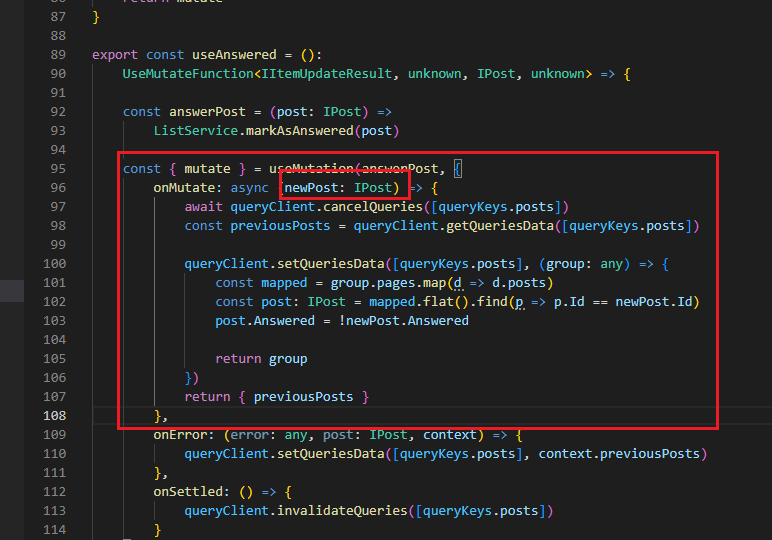
Figure 61
The first thing we want to do within this function is cancelling any outgoing refetches so they do not overwrite our optimistic update. We use cancelQueries method on query client instance.
Next, we need to get hold off the current query data before we make any update. This will help us to roll back in case the mutation fails. For that we use getQueriesData method.
We are all set to update query data. We already know how to do it with setQueriesData method. We are going to return object with a key value set to previous posts data. This will be used
to roll back data in case the mutation errors out.
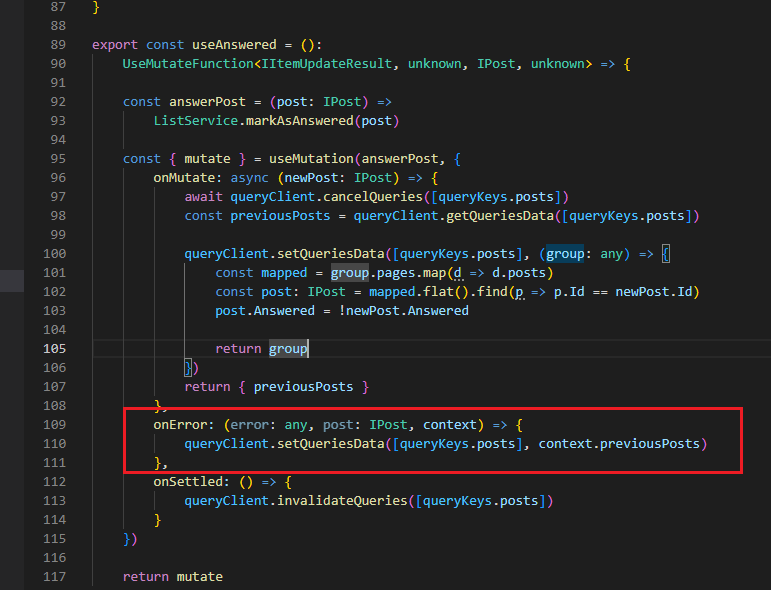
Figure 62
onError function is called if the mutation encounters an error. In case of errors, we set previousPosts data as query data.
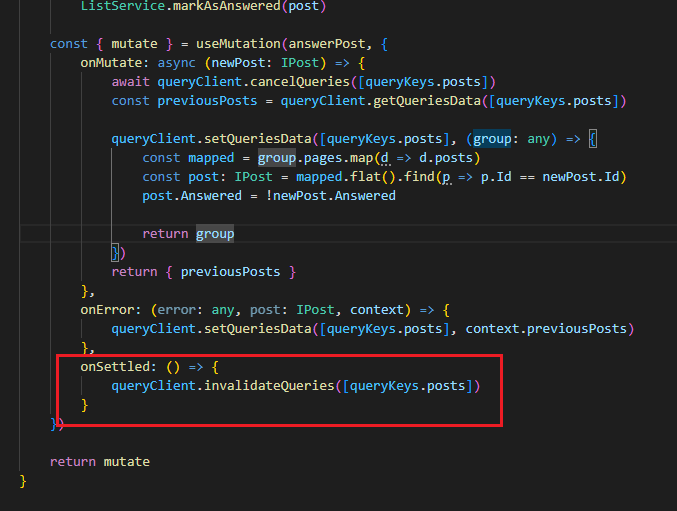
Figure 63
onSettled function is called when the mutation is either successful or when it encounters an error. In this function all we have to do is refetch posts.